Finance teams at fast-growing software and mobile app companies face a common problem: their monthly transaction files are too large to open in Excel.
As app revenue grows, so does the size of the financial reports downloaded from Apple App Store, Google Play, and Stripe. What starts as a simple CSV export can quickly become a multi-gigabyte file containing millions of rows of transactions, subscriptions, refunds, taxes, fees, and payouts.
When app store exports are too big for Excel, app publishers turn to Row Zero, a modern alternative to Excel that supports 1000x bigger data.
In this guide, we'll cover:
- Why App Store and Stripe exports become so large
- Common spreadsheet limitations
- Best practices for app store reconciliation and revenue reporting
Why App Store and Stripe Reports Become So Large
Every month, app stores and payment platforms generate detailed transaction-level reports. For mobile app companies, these reports often include:
- Individual purchases
- Subscription renewals
- Trial conversions
- Refunds
- Chargebacks
- Taxes
- Country-level reporting
- Currency conversions
- Developer proceeds
A successful mobile application may generate millions of transactions each month. As a result, monthly reports can easily reach hundreds of megabytes or several gigabytes. Common examples include:
- Apple App Store Sales and Trends reports
- Apple Financial Reports
- Google Play earnings reports
- Google Play subscription reports
- Stripe payment exports
- Stripe subscription exports
- Stripe balance transactions reports
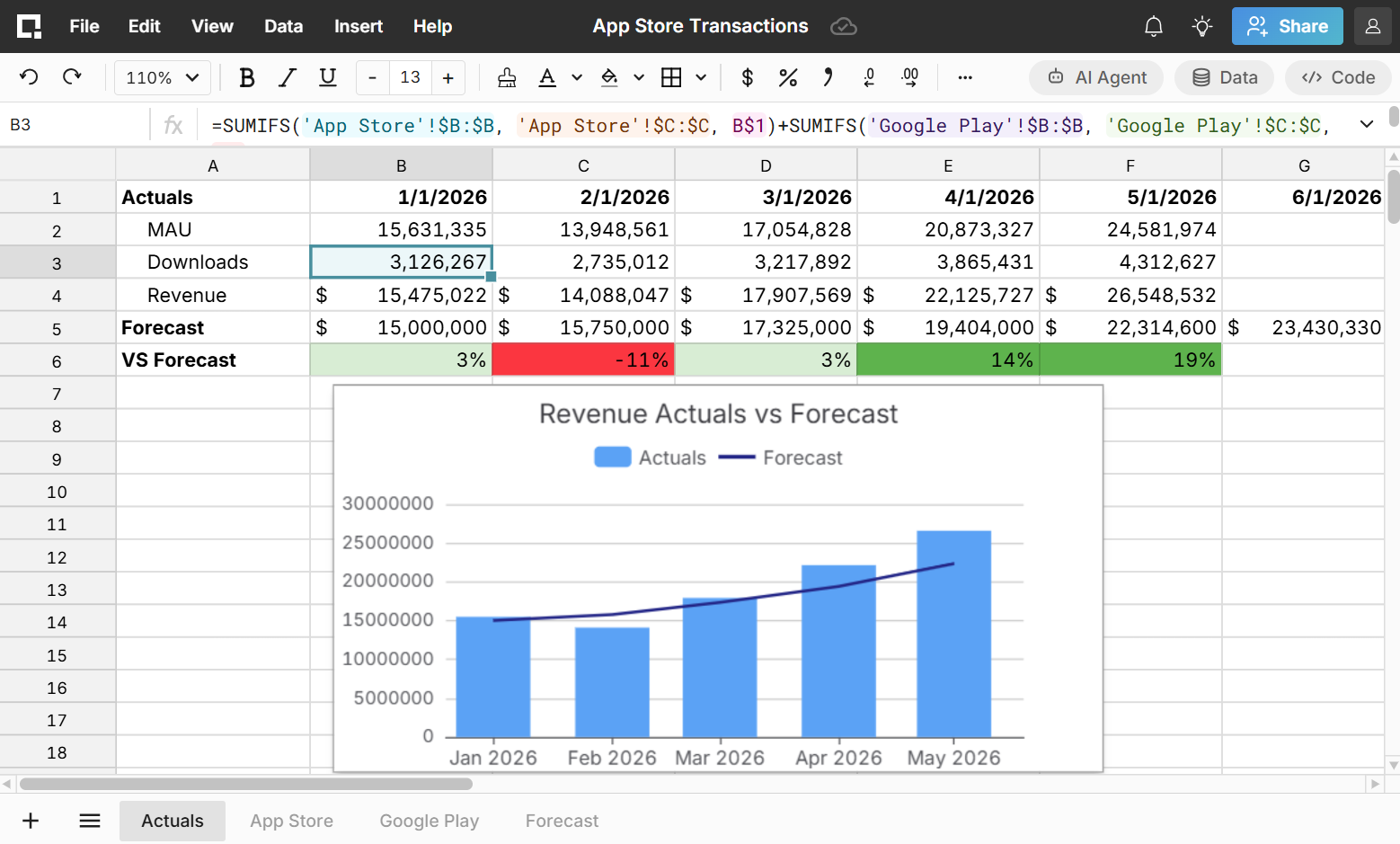
Finance teams need these files to perform month-end close activities, revenue reconciliation, audit support, and financial analysis and often need to combine large transaction files from multiple sources.
Why Excel Struggles With Large App Store Files
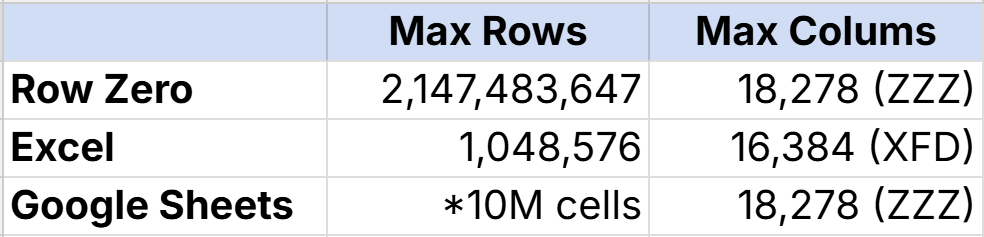
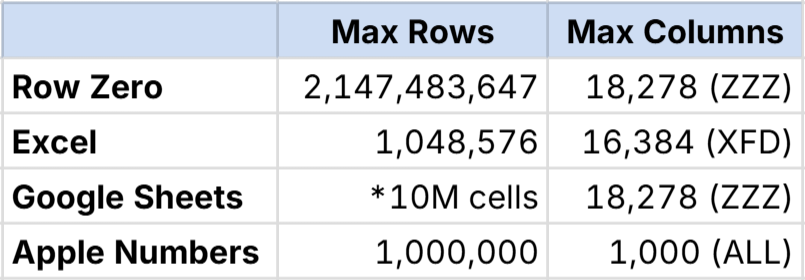
Many finance teams start by downloading app store transactions as a CSV and opening it in Excel or Google Sheets. The problem is that Excel has a maximum limit of 1,048,576 rows and large App Store exports often exceed 1 million rows. Google Sheets has a similar 10 million cell limit. As transaction volumes grow, traditional spreadsheets become increasingly difficult to use.
When transaction files become too large for Excel, finance teams turn to Row Zero. Row Zero gives finance teams the familiar spreadsheet experience with the capacity to open massive app store transaction files. Here’s a breakdown of row limits by spreadsheet:
A Better Approach: Use a Spreadsheet Built for Big Data
Instead of splitting files into smaller pieces or loading data into multiple worksheets, many finance teams are adopting spreadsheet tools designed for large datasets.
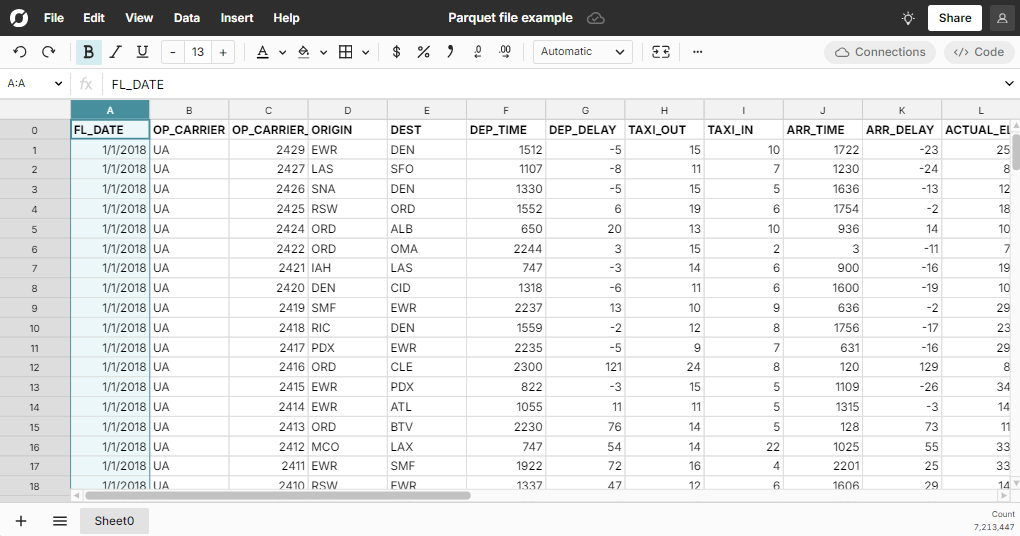
Row Zero can open files containing hundreds of millions or even billions of rows, making it possible to work directly with complete App Store and Stripe exports in a big spreadsheet.
With Row Zero, finance teams can:
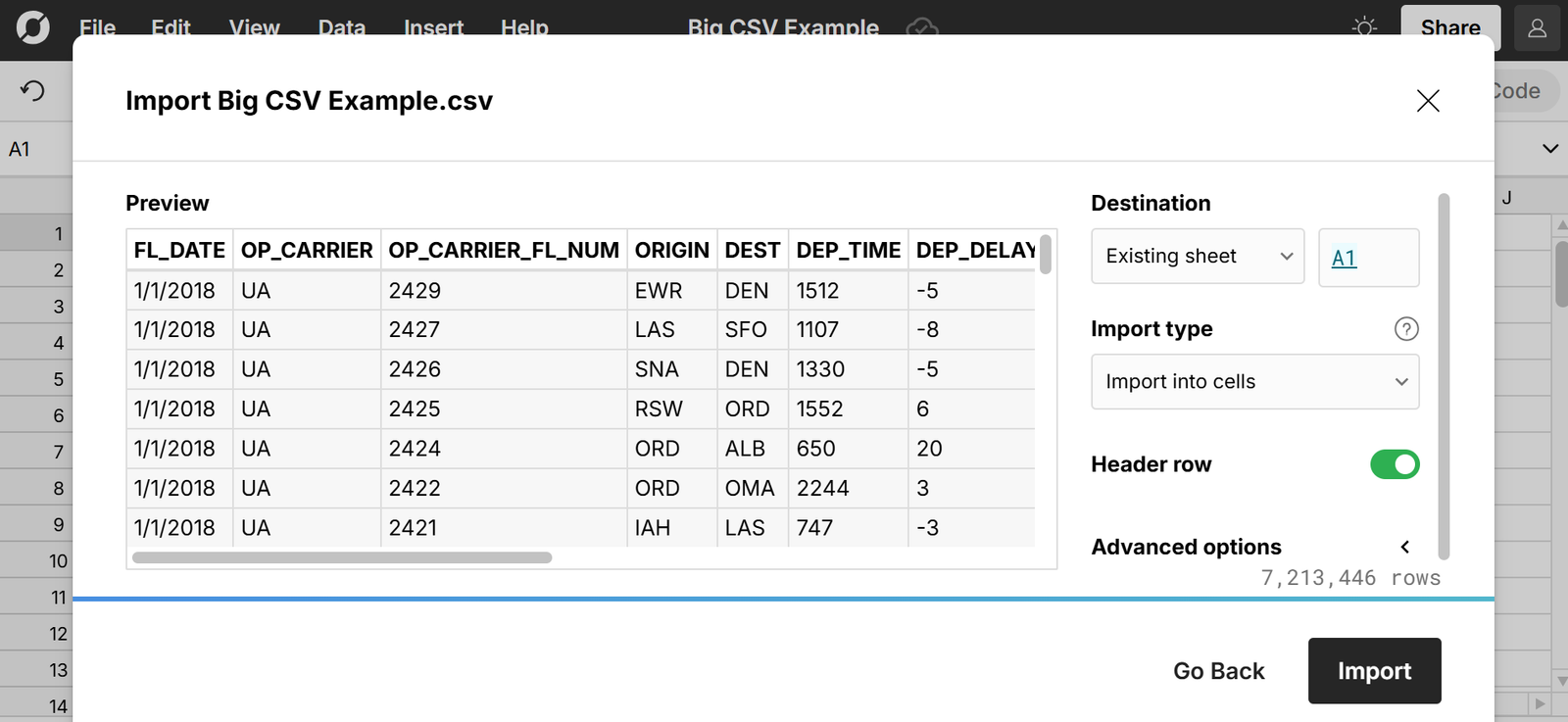
- Open massive CSV files instantly
- Analyze millions of transactions in a familiar spreadsheet interface
- Filter, sort, and aggregate large datasets
- Combine large transaction files from multiple sources
- Connect directly to cloud data warehouses like Snowflake and Databricks
- Share analyses with colleagues
This allows finance teams to continue using spreadsheet workflows without sacrificing scale.
App Store and Stripe Reporting at Enterprise Scale
Companies with millions of monthly downloads, subscriptions, and purchases generate enormous amounts of financial data.
As transaction volumes grow, finance teams need tools capable of handling:
- Multi-gigabyte CSV files
- Millions of transactions
- Subscription billing data
- Revenue reconciliation workflows
- Audit support requirements
The ability to open and analyze large transaction files has become a critical capability for modern finance organizations.
Conclusion
If your team regularly downloads large transaction reports from Apple App Store, Google Play, or Stripe, you've probably encountered the limits of traditional spreadsheets.
Large transaction files are now a normal part of operating a successful subscription or mobile app business. Rather than splitting files or struggling with spreadsheet limitations, finance teams are increasingly adopting tools designed to work with modern-scale financial datasets.
Row Zero provides a spreadsheet experience built specifically for analyzing massive transaction files, helping finance teams reconcile revenue, analyze transaction data, and close their months faster without worrying about file size limitations.