
The spreadsheet for agents and humans.
Secure, connected, and scalable.

Trusted by over 15,000 companies










Built for enterprise data
Row Zero brings the security, scale, and live connectivity that enterprise data requires to a spreadsheet your team already knows how to use.


1000x more powerful
Row Zero is a cloud spreadsheet that scales to billion row data sizes—1000x bigger than traditional spreadsheets, and stays fast when you analyze big data.
Explore the world's fastest spreadsheet
Secure and governed
Give teams governed access to the data warehouse in a secure spreadsheet. Enable SSO, SCIM, Private Link, and OAuth data connections. Enforce row-level security and restrict data export so data never leaves the cloud.
Explore enterprise security features
Connected and auto-updating
Seamlessly connect to your data warehouse and build connected spreadsheets that auto-update with the latest data. You can query with SQL, import pre-built data sources, and write back to the data warehouse directly from your spreadsheet.
Build connected spreadsheets
Works like Excel and Sheets
Row Zero is a modern data stack for Excel and Google Sheets users, with functions and features familiar to any spreadsheet. Write Excel-compatible formulas, build pivot tables and charts, and create complex spreadsheet models.
Explore spreadsheet featuresArtificial intelligence
Powerful AI spreadsheet assistant
Analyze large datasets with AI chat in your spreadsheet. Fully auditable and editable.
Case studies
15,000 companies and counting


“Row Zero empowers anyone with spreadsheet skills to work with massive datasets in Amazon Redshift and Amazon S3 at incredible speed and security.”


“Incredibly easy for business users to self-serve insights from the data warehouse in a spreadsheet.”
Case study

“Row Zero allows us to quickly analyze huge datasets using simple and familiar spreadsheet functions.”


“First thing my CFO said, 'now you can finally get rid of my Tableau license.'”


“A perfect mix of phenomenal performance, great connectivity, and a price point that was a no brainer.”


“Row Zero is an impressive feat of engineering, making big data feel small in a familiar spreadsheet interface.”


“Row Zero is the fastest way for our team to analyze and collaborate on giant telemetry datasets.”

“Incredibly easy for business users to self-serve insights from the data warehouse in a spreadsheet.”
Case study“Row Zero allows us to quickly analyze huge datasets using simple and familiar spreadsheet functions.”
“First thing my CFO said, 'now you can finally get rid of my Tableau license.'”
“A perfect mix of phenomenal performance, great connectivity, and a price point that was a no brainer.”
“Row Zero is an impressive feat of engineering, making big data feel small in a familiar spreadsheet interface.”
“Row Zero is the fastest way for our team to analyze and collaborate on giant telemetry datasets.”
“Incredibly easy for business users to self-serve insights from the data warehouse in a spreadsheet.”
Case study“Row Zero allows us to quickly analyze huge datasets using simple and familiar spreadsheet functions.”
“First thing my CFO said, 'now you can finally get rid of my Tableau license.'”
“A perfect mix of phenomenal performance, great connectivity, and a price point that was a no brainer.”
“Row Zero is an impressive feat of engineering, making big data feel small in a familiar spreadsheet interface.”
“Row Zero is the fastest way for our team to analyze and collaborate on giant telemetry datasets.”
Why Row Zero?
Modern data stack for Excel and Google Sheets users
Skip the security and performance tradeoffs of CSV exports and traditional spreadsheet workflows.
Cloud data warehouse
BI tools
CSVs
Spreadsheets
Cloud data warehouse
Connected spreadsheet
Maximum spreadsheet size
Row limits by spreadsheet.
Performance
Speed of calculating, filtering, and sorting on large datasets.
Spreadsheet functions and formulas
Write Excel-compatible formulas.
AI spreadsheet assistant
Analyze data with open-ended prompts and commands.
Dynamic pivot tables and charts
Pivots automatically update with new data.
Built-in data connectors
2-way connections to Snowflake, Databricks, Redshift, and more.
Modern cloud-native security
Governed data access and export controls.
Real-time collaboration and sharing
Multi-user editing and sharing. Real-time data updates.
Open and edit large files and formats
Multi-GB CSV, Parquet, JSONL, .gz, etc.
Use cases
Any spreadsheet job made faster, connected, and secure
Row Zero brings scale, security, and two-way data connectivity to all of your spreadsheet work.

Build recurring reports as connected spreadsheets that auto-update. Pivot tables, charts, and slicers let you dynamically explore data in real-time.
Build spreadsheet dashboards
Give teams secure access to data warehouse data with one-click data sources in a familiar spreadsheet.
Self-serve analytics
Transform big raw datasets into clean, structured formats ready for analysis and decision making.
Data wrangling
Operationalize and automate big spreadsheet workflows with 2-way connectivity to multiple data sources.
Modern ETL pipelines
Build complex multi-sheet models on massive datasets, connected to live data. Leverage python for advanced modeling and sensitivity analysis.
Advanced spreadsheet modeling
Datasets and templates
Explore big data in a spreadsheet
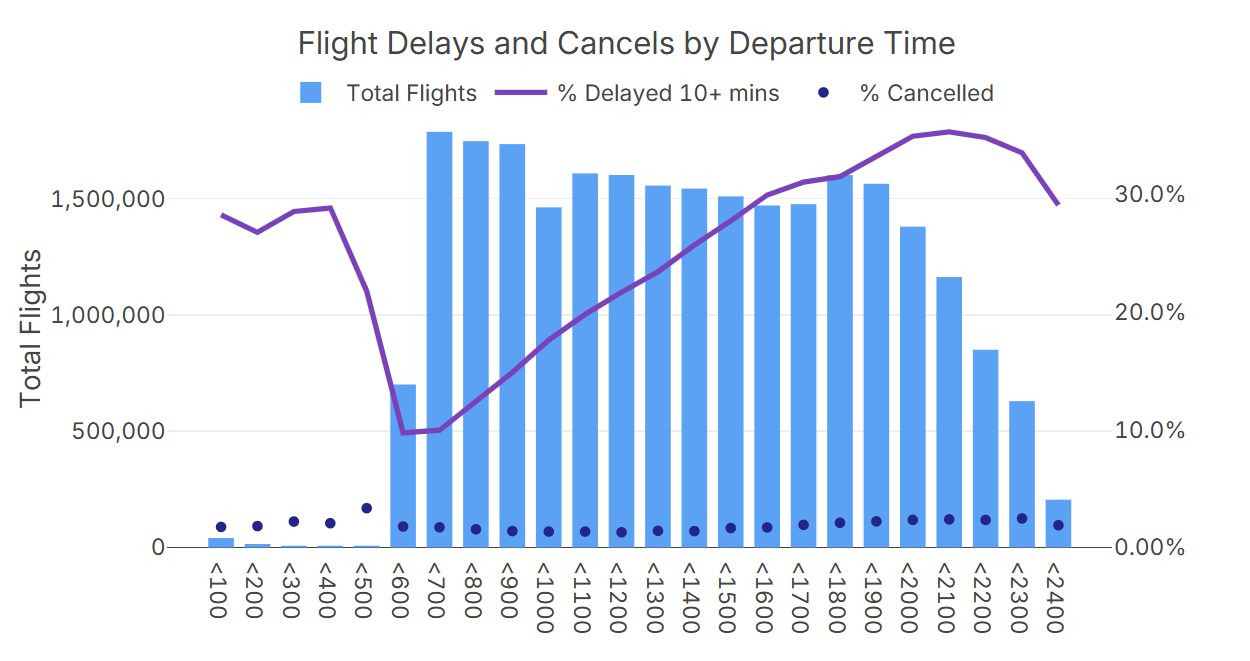
Dataset of all U.S. flights from 2022 to 2025 with a sample analysis.
Open U.S. flights dataset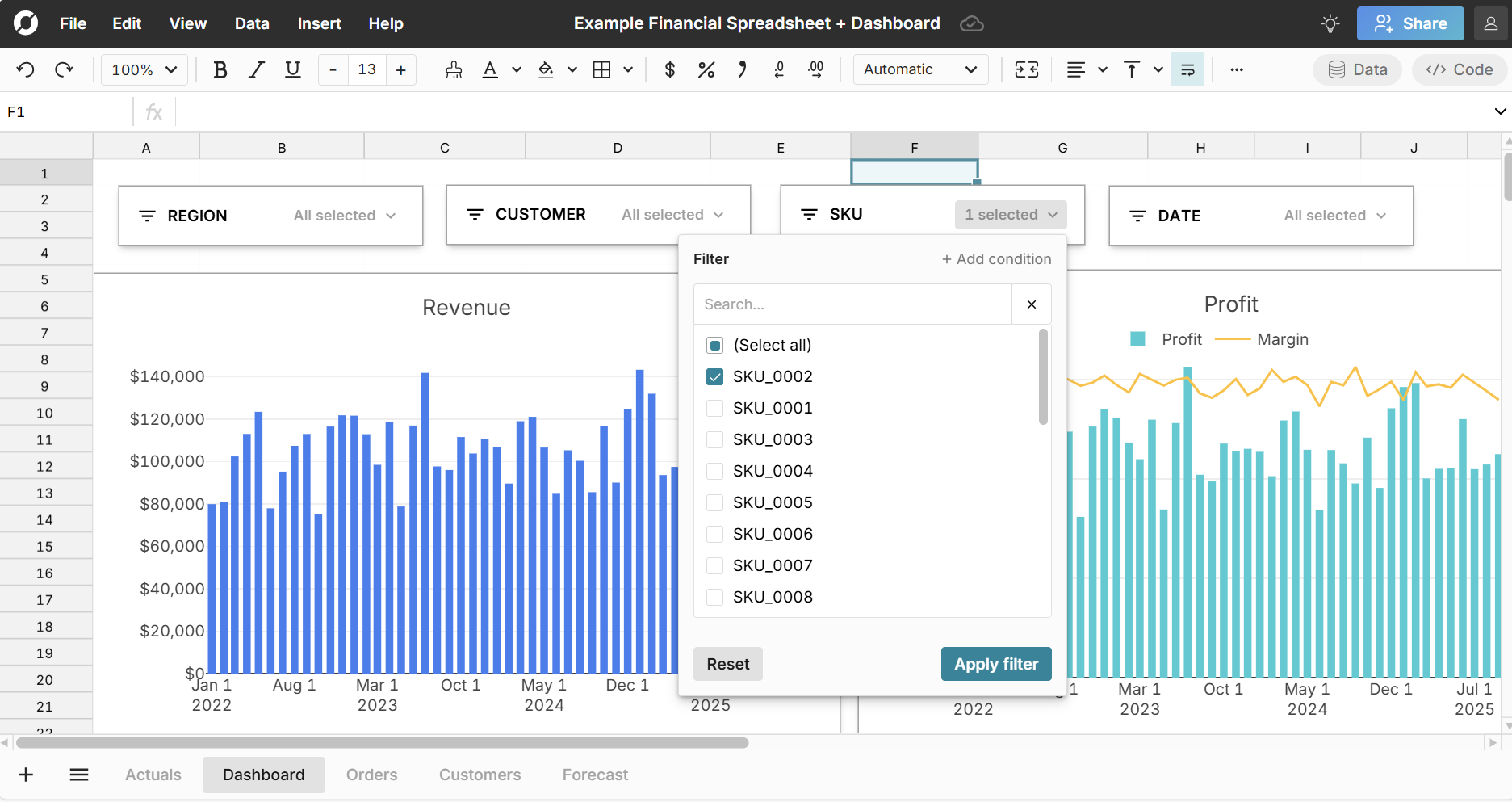
Explore an example financial spreadsheet in Row Zero with actuals vs forecast, a dashboard sheet, and slicers.
View resourceProduct updates
Explore the latest updates and upcoming features.
Self-serve OAuth Databricks connections
Customers can now create OAuth Databricks connections from Row Zero.
Standard mode for connected tables
Standard mode for connected tables spills query results into sheet cells.
Data source filters
You can now filter a data source on any column when you import it.
Query builder for BigQuery
Query builder is now available for Big Query connections
Get started with Row Zero