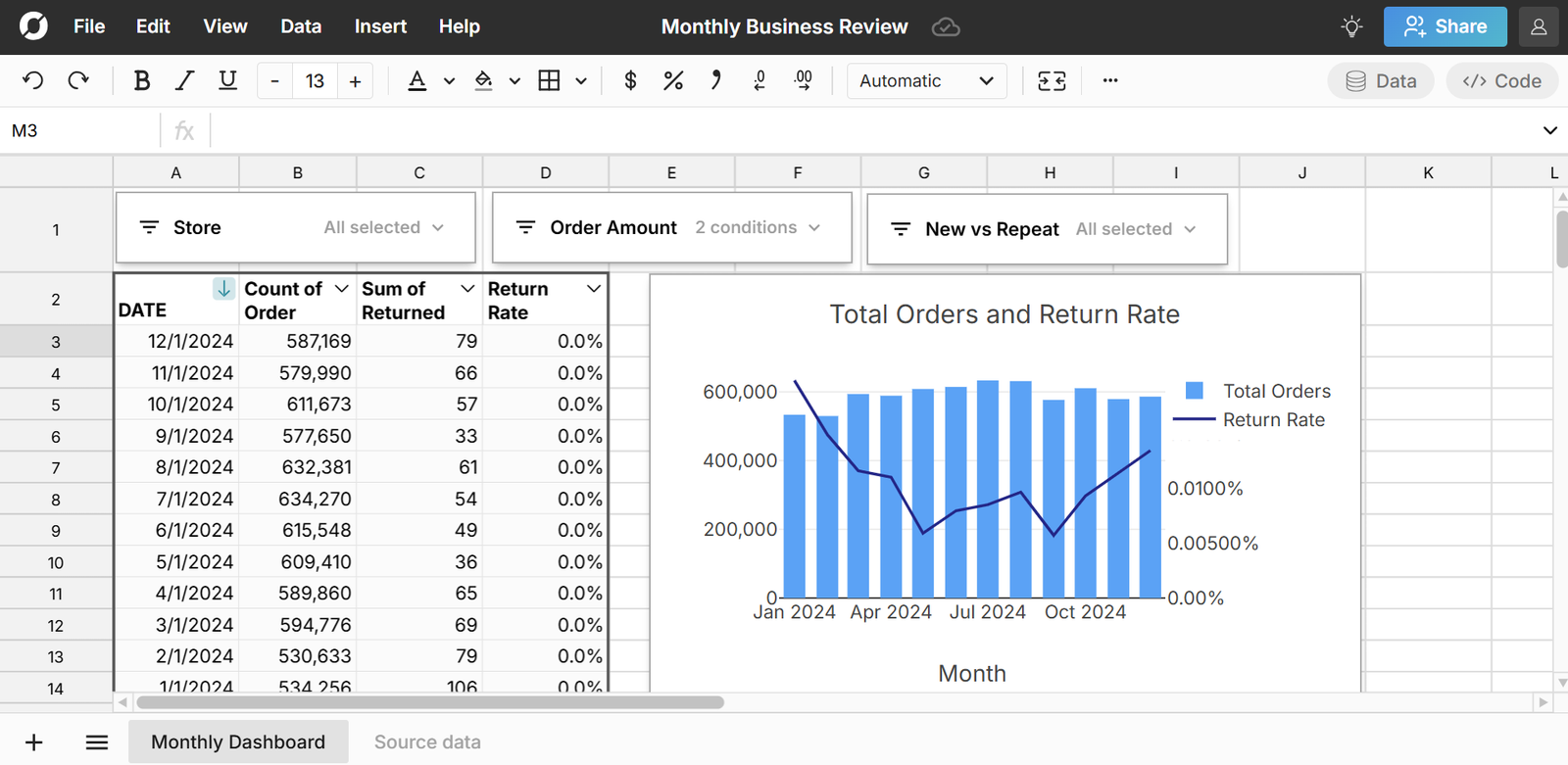
Row Zero makes it easy to open and edit parquet files online in a powerful spreadsheet. You can open parquet files from your computer, a URL, or S3 with a simple one-click import. Row Zero works like Excel and Google Sheets but is 1000x more powerful. Easily view parquet files and analyze parquet data with pivot tables, charts, and spreadsheet formula functions.
This post explores the features that make Row Zero the best parquet viewer and editor.
5 Reasons Row Zero is the best tool for parquet files
1. Very easy to open and explore parquet files
Row Zero is the easiest way to view parquet files and edit and analyze parquet data. Opening a parquet file is as simple as selecting your file and clicking 'Import'. You can import parquet files from your computer, a URL, or Amazon S3.
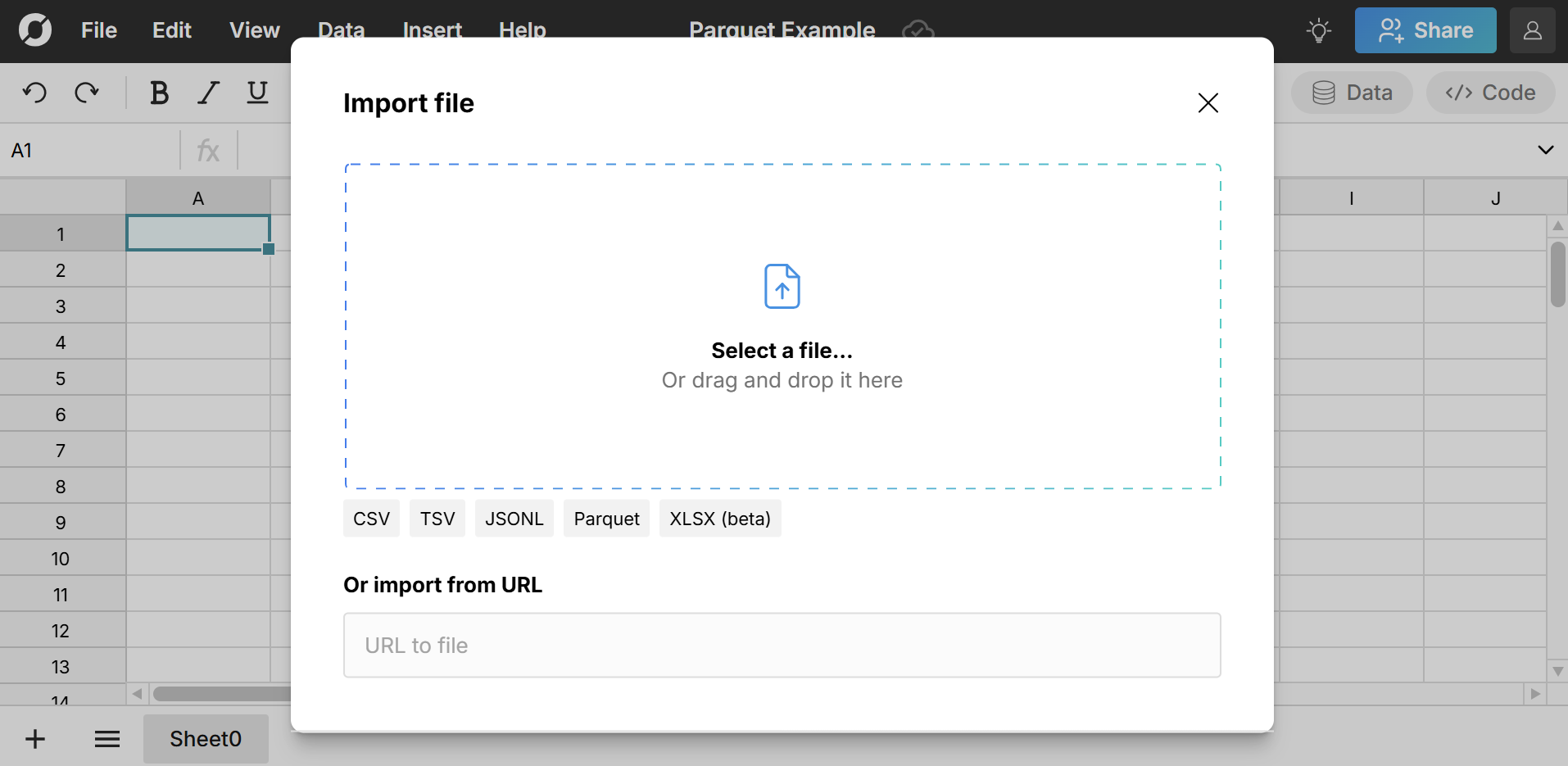
The parquet file opens as a spreadsheet in Row Zero where you can leverage spreadsheet functions and features to explore the data. You can also open parquet.gz files in Row Zero. Row Zero automatically unzips the parquet.gz file and opens it in the spreadsheet.
It's surprisingly difficult to find tools that open parquet files. Legacy spreadsheets like Google Sheets and Excel cannot open parquet files and most BI tools can't open parquet either, so users often have to resort to using python to read parquet or using specialized parquet software tools.
2. Big data power and speed
Row Zero is built for big data and can handle the large datasets stored in parquet files. Even if you convert parquet to CSV to open in Excel or Google Sheets, you'll still face the data limits of those spreadsheets and won't be able to work with large parquet data sets. Row Zero easily opens large parquet files - free plans support millions of rows and Enterprise plans support billion row datasets (1000x Excel's limits).
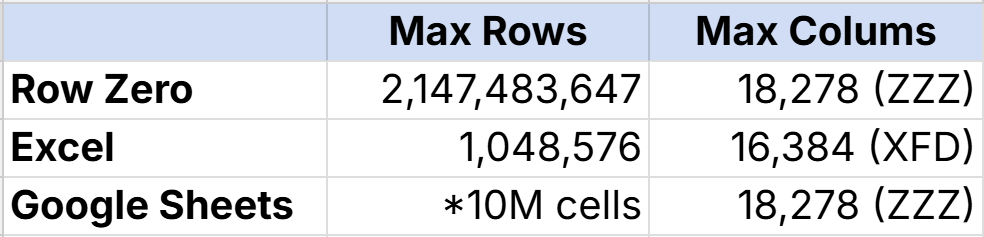
When you need to work with big data in a spreadsheet, Row Zero is the best alternative to Excel and Google Sheets.
3. Full-featured spreadsheet
Row Zero is much more than a big online parquet viewer. It's a full-featured spreadsheet with the power to handle big data in parquet files.
Here's a breakdown of a few key features:
- Edit, format, sort, and filter parquet files:
Row Zero makes it easy to edit, filter, sort, and format parquet files. You can use familiar spreadsheet features to clean up data, remove duplicates, or explore parquet data. On a paid plan, you can also convert parquet to CSV and/or export data directly to your database or data warehouse.
- Excel-compatible formula functions:
Row Zero works like Excel and Google Sheets and uses the same familiar built-in spreadsheet functions like XLOOKUP, COUNTIF, etc. You can write Excel-compatible formulas across millions of rows to analyze large parquet datasets.
- Dynamic pivot tables:
Row Zero makes it easy to create pivot tables from parquet files. Pivot tables are a great way to quickly summarize parquet data. Row Zero pivot tables are dynamic and auto-update as you edit source data.
- Charts and graphs:
You can easily chart parquet files online in seconds. Charts dynamically update as you filter, sort, and edit your parquet data. You can also create pivot charts from pivot tables.
- Python:
Row Zero spreadsheets have a native Python code window that let you create custom spreadsheet functions to clean and analyze your parquet file with Python. You can also import python packages to analyze parquet with pandas, scipy, numpy, etc.
4. Connected to your data sources
Row Zero spreadsheets can connect directly to your data source with connectors to Snowflake, Databricks, Redshift, BigQuery, Postgres, and Amazon S3. This unlocks big efficiencies for importing and exporting your data. You can use Row Zero to view parquet files and edit them before importing to your database or data warehouse. You can also open parquet files from S3 directly. And if your parquet file is an export from your database or data warehouse, you can connect Row Zero directly to your data source to dynamically import your data and build connected sheets that auto update as data refreshes.
5. Free parquet viewer online
Row Zero is the best free parquet viewer online. There's nothing to download. Just open a workbook and import your parquet file. The free plan lets you have one workbook with unlimited sheets and can easily open and edit big parquet files. For unlimited workbooks, advanced security, two-way data sync, and the ability to convert parquet to CSV, you can upgrade to a paid plan starting at $10/month.
Conclusion
Row Zero is the best online parquet viewer and editor. You can easily open a parquet file as a spreadsheet where you can edit, filter, sort, and analyze your data. You can create pivot tables and charts to visualize parquet data and transform your data with spreadsheet functions or python. Row Zero can connect directly to your database or data warehouse, so you can preview parquet files before importing to your database. You can try Row Zero for free and see why Row Zero is the best tool for parquet files.
Frequently Asked Questions
Parquet is a columnar storage file format that excels at fast retrieval and efficient storage. Apache Parquet is optimized for data processing frameworks like Apache Hadoop and Apache Spark.
Yes, Row Zero is a spreadsheet that opens parquet files with a simple file import, just like any other file. Legacy spreadsheets like Excel and Google Sheets cannot open parquet files natively.
No, you cannot open parquet directly in Excel. You must first convert parquet files to CSV files to open in Excel. However, due to Excel's data limits, you may not be able to open the converted CSV file fully.
Row Zero is the most straightforward way to open parquet files and explore the data, especially for non-technical users. Beyond Row Zero, few software applications open parquet files. More technical folks can use python to read parquet files and analyze the data.
While both Parquet and CSV file formats are used to store tabular data, they have significant differences. The parquet file format is columnar, binary, and optimized for analytical queries on large datasets. The CSV file format row-based, plain text, and used for basic data exchange and smaller datasets
If you need to view and analyze parquet files, Row Zero is the best parquet software tool for no code applications. More technical folks may also use python to read parquet.