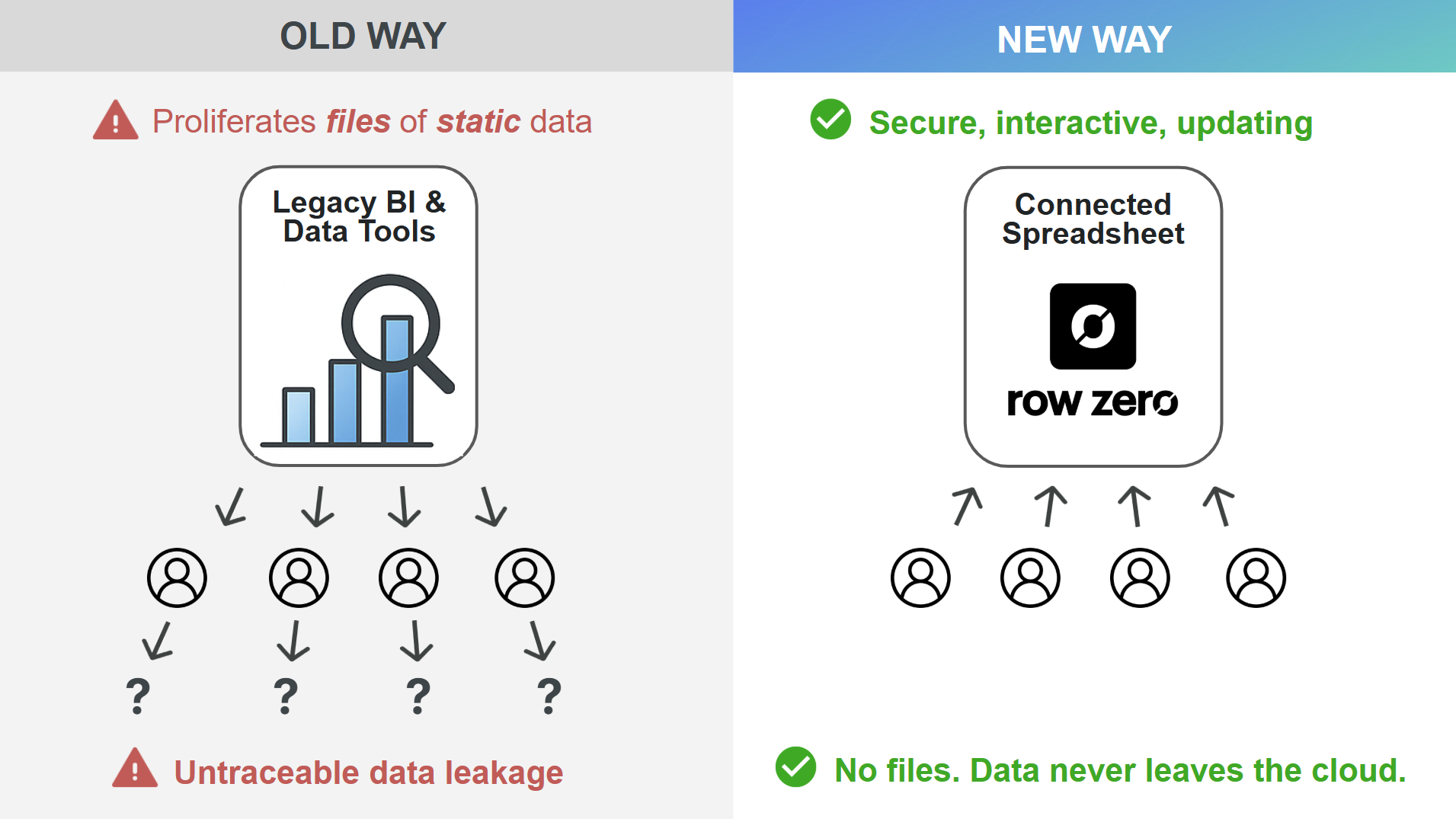
Don’t send data to people. Send people to data. This is the key advantage of modern cloud security — and what most companies still get wrong about data governance.
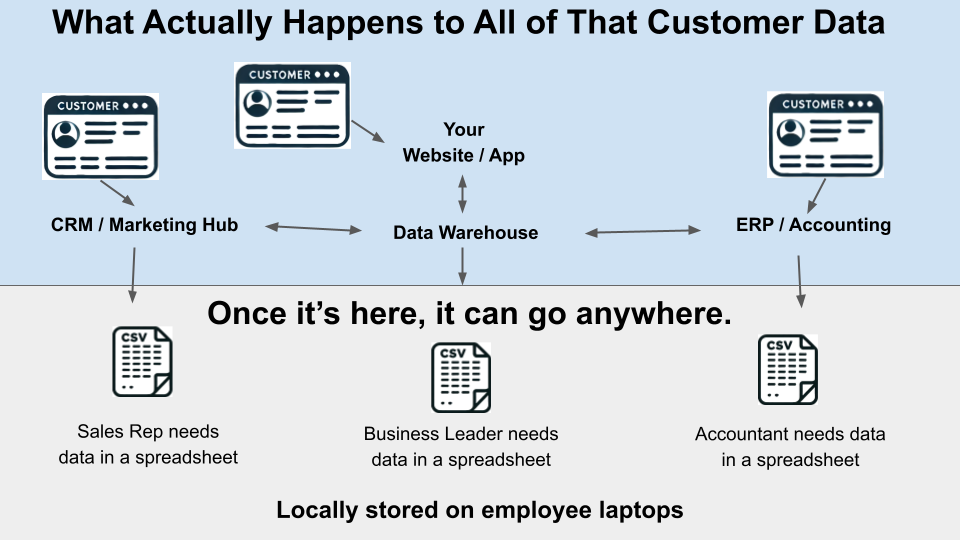
They transition to the cloud and check all the boxes, yet still use files. Teams export CSVs of sensitive data from Salesforce, Hubspot, Netsuite, Stripe, and hundreds of other tools. Cloud BI tool dashboards have Export to CSV links and automatically burst files to managers. This all proliferates files of static data to local devices, email, slack, etc. Data is pushed out - so that it can be opened in a spreadsheet.
Somehow in the transition to the cloud, we forgot to connect the most important thing - the spreadsheet. It’s not just a security risk. It’s really inefficient.
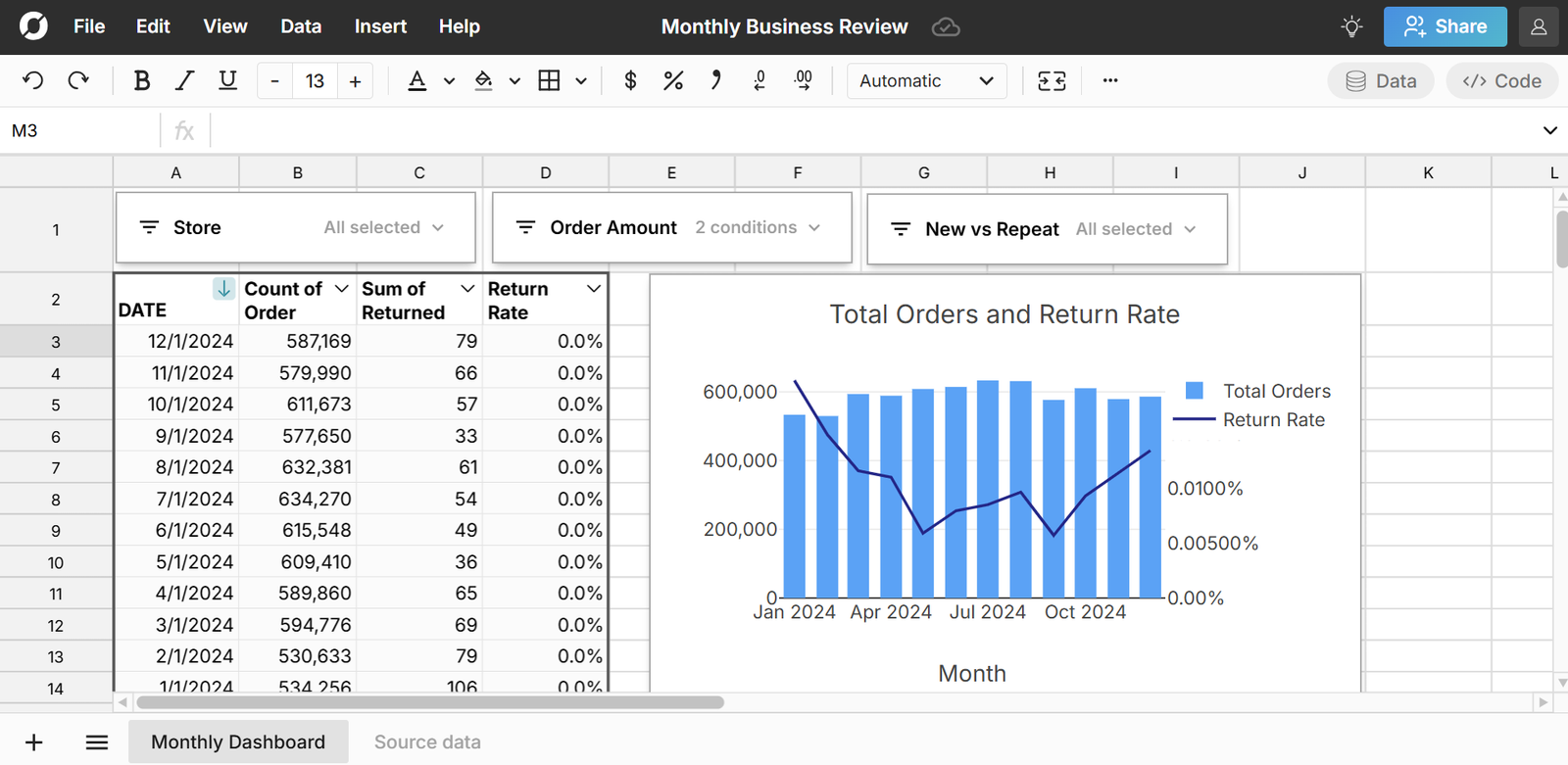
At Row Zero, we rebuilt the spreadsheet from the ground up for modern cloud security and big data performance. Row Zero is 1000x more powerful than legacy spreadsheets, securely connects to your data warehouse, and is instantly familiar to anyone who uses Excel or Google Sheets. There's no files. Data never leaves the cloud.
The problem with files
While files were the standard for decades, they are particularly outdated when it comes to modern cloud infrastructure and data privacy regulations. Here are some fundamental problems with files:
1. Files make data portable
While this may sound good on the surface, it's important to distinguish between data portability and data accessibility. Making data easily accessible to authorized users is a good thing. Moving data unnecessarily is a bad thing. When data moves, it increases risk of data leakage, unauthorized access, versioning issues, and data integrity issues. The main data privacy regulations like GDPR have specific restrictions on data movement.
2. Files are static snapshots
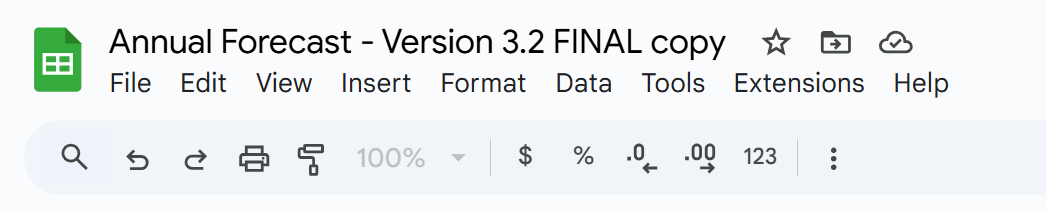
Files are a snapshot of data in time. They're immediately out of date and their existence leads to different versions, different sources of truth, and unreconciled numbers. This also creates inefficiencies every time data needs to be updated.
3. Files are almost always copies of source data
In the modern data stack, files are almost never purposefully used as a system of record, so files are almost always copies of data. This means the typical file is at risk of being out of sync with source data and introduces versioning issues, data conflicts, and different sources of truth.
4. Files create shadow data
While data teams typically don't want files to be a system of record, many users input new data into spreadsheets, which can easily become shadow data that never gets centralized or tracked. And this can easily be sensitive customer data - for example, if a sales rep enters customer data into a spreadsheet or a finance manager updates a customer's contact info in a spreadsheet. Without proactive controls to write this data back to the central data warehouse, this data becomes shadow data at risk of violating privacy regulations.
5. Files unnecessarily propagate data
Using files can quickly exacerbate data integrity issues. Files can be downloaded, copied, shared, emailed, etc. So the problem with files compounds on itself, when problematic files are further copied, downloaded, or shared.
6. Files make it nearly impossible to comply with privacy regulations
If your company uses files, you're fundamentally making data portable and easier to share, duplicate, and lose track of. As a result, files are significantly riskier from a security standpoint and make it much more complicated to maintain GDPR and HIPAA compliance. For example, if a customer requests to delete their data, but that data was ever downloaded as a file out of a CRM, is sitting in a spreadsheet file, or was included in an attachment, it's nearly impossible to track down and delete that customer's data.
Many enterprises are transitioning away from using files and restricting data export across their tech stack to eliminate these problems with files. As a secure, connected spreadsheet, Row Zero offers organizations a secure alternative to Excel and files in a powerful cloud spreadsheet.
The modern spreadsheet solution - Row Zero
Row Zero offers a modern spreadsheet alternative to Excel and spreadsheet files that takes advantage of modern cloud security and scalability. Here are few key advantages of Row Zero vs Excel, Google Sheets, and BI tools:
Big data power and speed
Row Zero takes advantage of modern cloud infrastructure to support 1000x bigger data than Excel's limits. Row Zero is also the fastest way to analyze big data. It's faster than BI tools. Faster than SQL, R, or Python. Way faster than Excel and Google Sheets. Try for free to test it out yourself.
Connected and auto-updating
Row Zero securely connects to your data warehouse with built-in connectors to Snowflake, Databricks, Redshift, Postgres, BigQuery, and more. You can easily build big, connected spreadsheets that auto-update with the latest data. Data teams can create shared data sources, which give business users one-click access to governed data queries. You can also write-back spreadsheet data to the data warehouse.
Modern cloud security
Row Zero is built for enterprise data security. Enterprise plans get a dedicated data plane and data is securely locked in the cloud. There are no files and organizations can restrict data exports, sharing, and copy-paste. Users access spreadsheets via secure company login (e.g. SSO) and spreadsheets can enforce row level security (RLS), role-based access controls (RBAC), and data residency. Row Zero is SOC2, GDPR, and HIPAA compliant.
It's a real spreadsheet
Row Zero is a real spreadsheet. It's not a BI tool pretending to be a spreadsheet. Row Zero is a true replacement for Excel and Google Sheets with 350 built-in functions, charts, pivot tables, keyboard shortcuts, etc. You can work with raw data cell by cell, import existing XLSX files, and build complex financial models.
Conclusion
Modern cloud security breaks down when data leaves the cloud. Files are particularly problematic because they proliferate data and introduce data conflicts, data integrity issues, and shadow data. While spreadsheets are the most common data tool in most organizations, they can be a big weak point when it comes to data governance and security, especially if teams can export data out of CRMs, ERPs, BI tools, and other SaaS tools. Row Zero is a secure, connected spreadsheet that solves the performance and security issues of legacy spreadsheets. Companies can give teams secure access to data warehouse data in a tool they'll actually use. Stop sending data to people just so they can work in a spreadsheet. Instead, send people to data in a secure spreadsheet. You can try Row Zero for free or request a demo to see how Row Zero can solve your use case.
Frequently Asked Questions
Row Zero is a secure spreadsheet designed for big data and modern cloud security. Row Zero securely connects to your data warehouse to eliminate the need for files or downloads. Organizations can restrict data export, external sharing, and copy/paste. Row Zero spreadsheets can inherit row level security from the data warehouse when using OAuth data connections. Row Zero is SOC 2 and HIPAA compliant and is a secure alternative to Excel and Google Sheets.
Potential security risks with Excel and Google Sheets usage include inadequate access controls and ungoverned downloading, sharing, and copying files, which can lead to shadow spreadsheets outside the org's security controls, untraceable data, and unauthorized access to sensitive data. Proactive security controls are needed to ensure secure spreadsheet usage.
Excel can be HIPAA compliant, but only under the right conditions. Basic Excel is not HIPAA compliant by default, so using desktop excel and saving unencrypted files to your computer could violate HIPAA. Excel can be HIPAA compliant with the proper setup using Microsoft 365 / OneDrive / Sharepoint on Enterprise tiers and when you sign a Business Associate Agreement (BAA) with Microsoft.
Google Sheets is not HIPAA compliant by default, but can be HIPAA compliant when specifically set up for HIPAA compliance on a Business or Enterprise Google Workspace tier with a signed BAA with Google.
Spreadsheet data governance includes the policies and processes that organizations establish to ensure the data within spreadsheets is secure, accurate, and consistent and that spreadsheet usage complies with laws, regulations, and the company's broader data governance policies. This includes setting data access controls, preventing data leakage, and ensuring data integrity across spreadsheet usage.
Yes, using files to store and transfer data can be a security risk, especially if files are used broadly across an organization for things like spreadsheets and documents. Files inherently move data and can be copied and shared, which significantly increase the surface area for data governance and increase the risk that sensitive data is leaked outside an organization or accessed by unauthorized users.
Yes, despite the transition to the cloud and the security risks associated with files, many companies still regularly use files for things like spreadsheets and documents and allow employees to export files of data out of CRMs, ERPs, and cloud SaaS tools. However, awareness of the risks of files is growing and companies are beginning to restrict their usage.