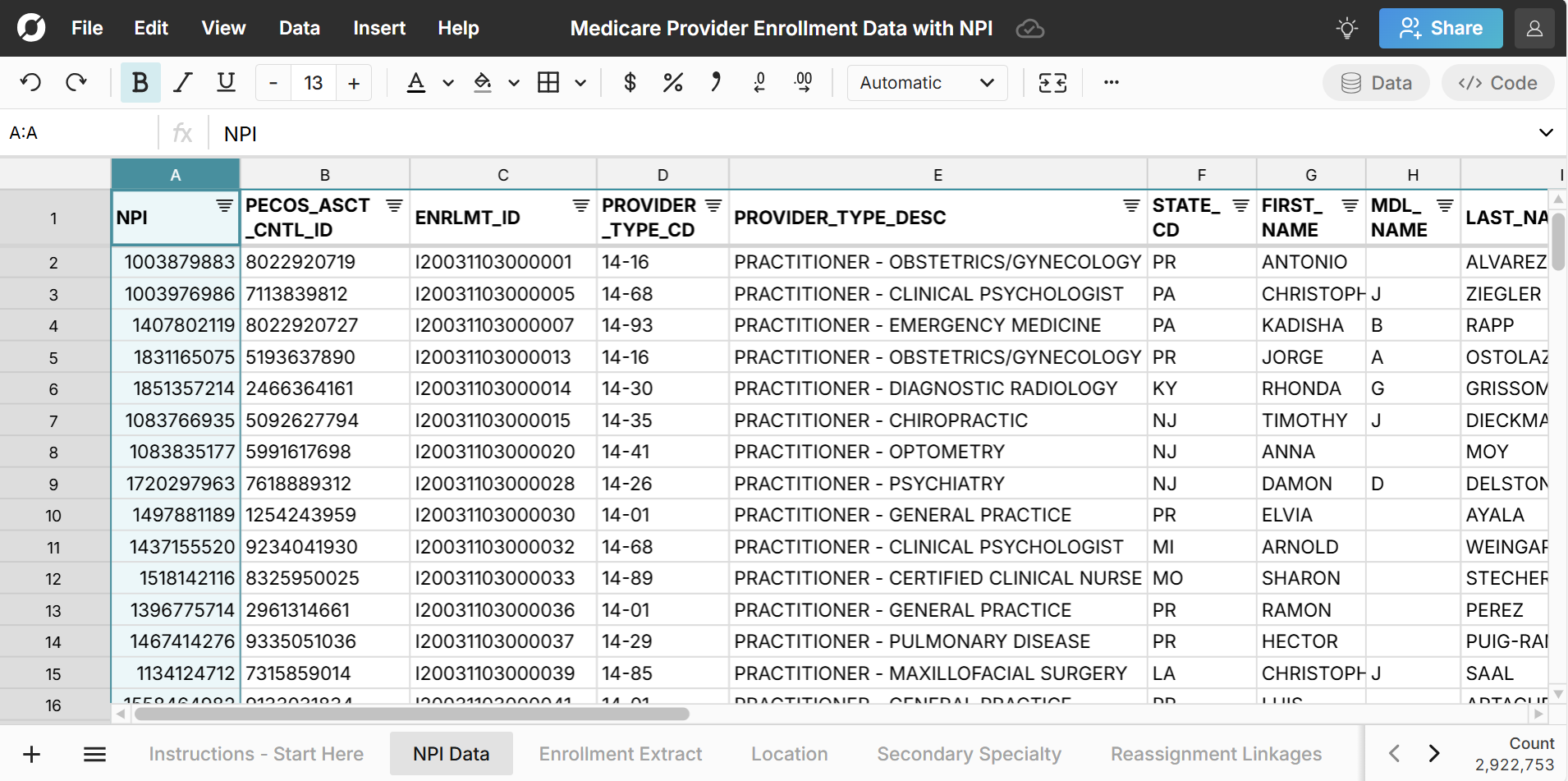
Row Zero is a powerful spreadsheet that makes it easy to work with large healthcare datasets. CMS publishes Medicare Provider Enrollment files that contain NPI registry data of active providers including all physicians, individual healthcare providers, and organizations enrolled with Medicare. This includes nearly all non-pediatric physicians in the United States.
We've imported the full provider enrollment files into Row Zero and enriched them further with location data to help you get started. Explore the spreadsheet of active providers for free.
Dataset Summary
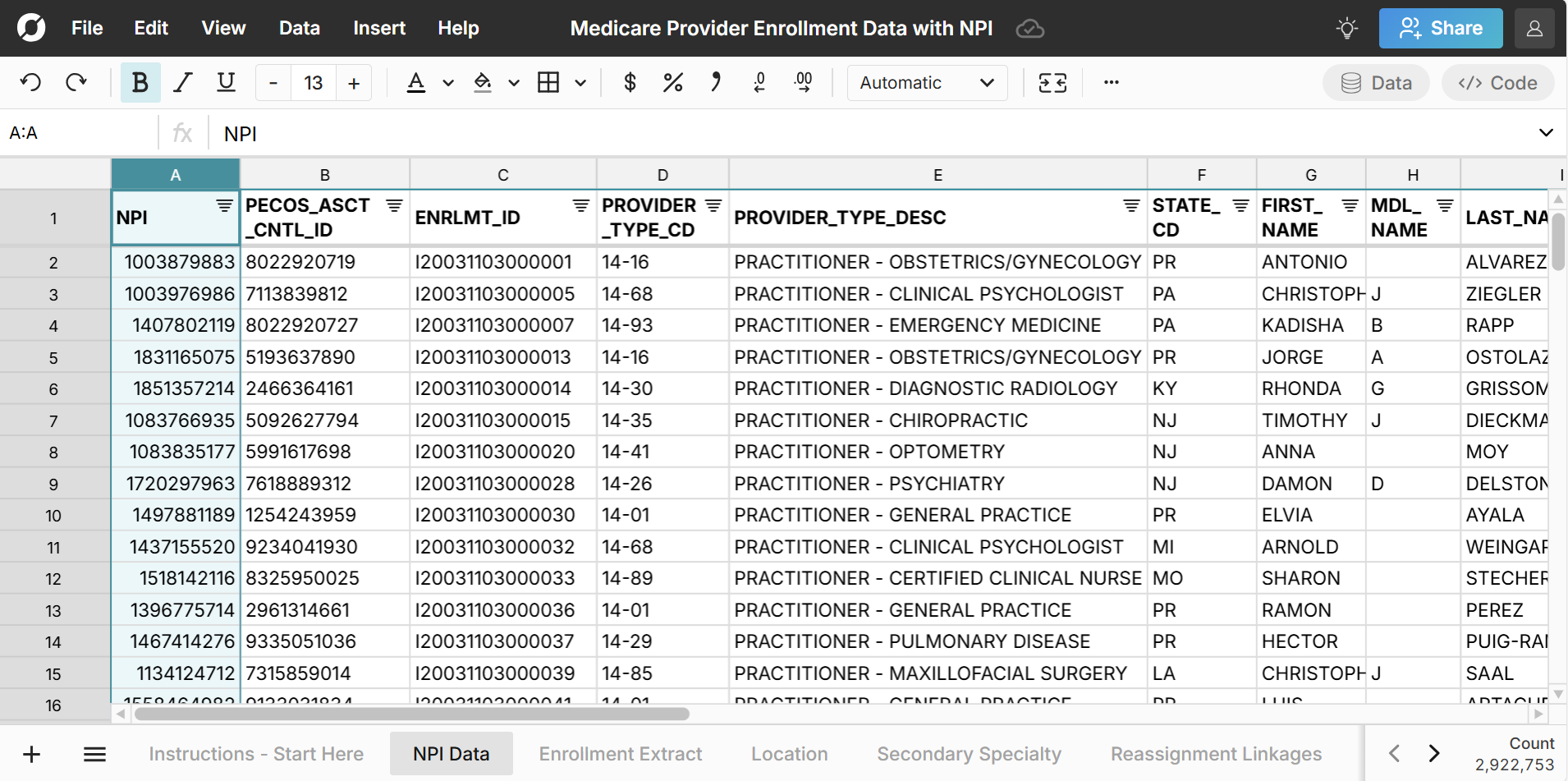
The dataset includes nearly 3 million records of all U.S. healthcare providers actively enrolled in Medicare. The data is sourced from the Medicare Provider Enrollment files which are available for free download. The files are too large to open in Excel or Google Sheets but can easily be opened in Row Zero. The Medicare Fee-For-Service Public Provider Enrollment dataset includes information on providers who are actively approved to bill Medicare or have completed the 855O at the time the data was pulled from the Provider Enrollment, Chain, and Ownership System (PECOS). These files are populated from PECOS and contain basic enrollment and provider information like provider NPI data, specialty, practice location city, state, ZIP, and reassignment of benefits information. You can visit Data.CMS.gov to download the latest file, which is updated quarterly, or jump right into the pre-built spreadsheet of NPI data
The dataset includes the following sheets:
- Data Outline - Provides an overview of the spreadsheet with information on each sheet
- NPI data - This sheet includes the full list of providers with NPI data, PCOS ID, Enrollment ID, provider type and specialty, provider name, organization name, practice location city, state, and ZIP code and information about the ZIP code including related county, metro area, population, and median household income. This is a master sheet that combines data from the sheets below. Use this sheet to lookup NPI data.
- Enrollment Extract - This sheet contains a unique listing of all provider enrollment applications that have been approved to bill or order and refer in Medicare.
- Location - This sheet contains a unique listing of practice location city, state, and zip code for each enrollment.
- Secondary Specialty - This sheet contains a unique listing of enrollment ID and secondary specialty information pairs, for practitioner and DME supplier enrollments.
- Reassignment Linkages - This sheet contains a unique listing of enrollment ID pairs of individual providers reassigning their benefits and providers receiving the reassignment of benefits.
- Aggregated Specialty Data - This sheet is an aggregation of the Enrollment Extract sheet (with primary specialties) and the Secondary Specialty sheet. One row corresponds to a provider + specialty. In other words, if a provider has 3 specialties, you’ll see 3 rows on this tab. Use this sheet to lookup NPI by specialty and location.
- Most Common Specialties - This sheet is a pivot table of specialties and their counts, showing the percentage of total for each.
- ZIP code data - This sheet includes each ZIP code in the U.S. with its corresponding town, state, county, and metro area. It also includes ZIP population and median household income. Data is sourced from the U.S. Census American Community Survey 5-year estimate tables.
- Last file containing GENDER_SW - The last raw file containing provider gender. The most recent files no longer include it.
- Data Source - Information about the data source with link to download
How to lookup NPI of providers
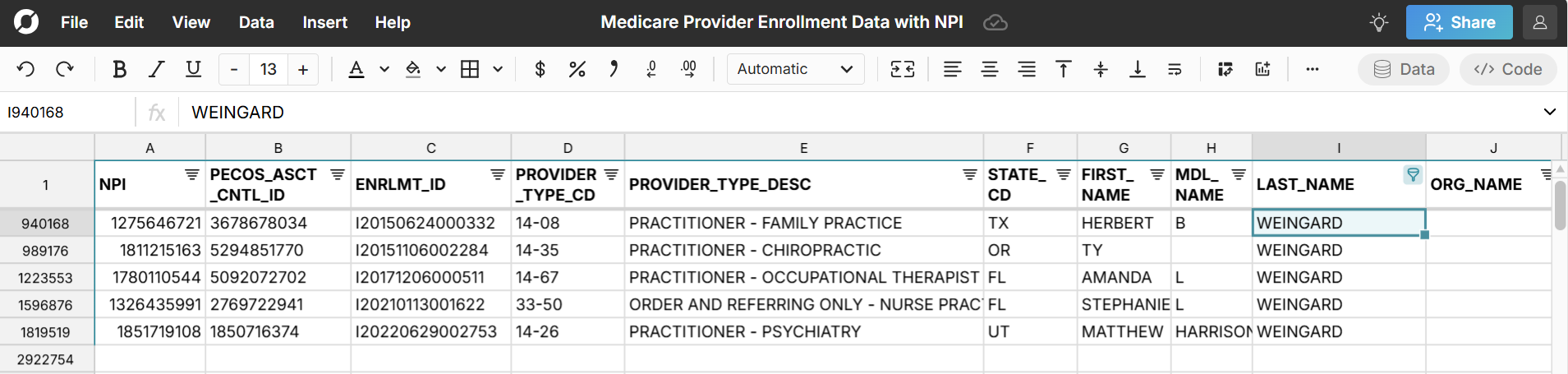
You can easily look up the NPI of a particular provider by going to the NPI data sheet and filtering by provider name or location.
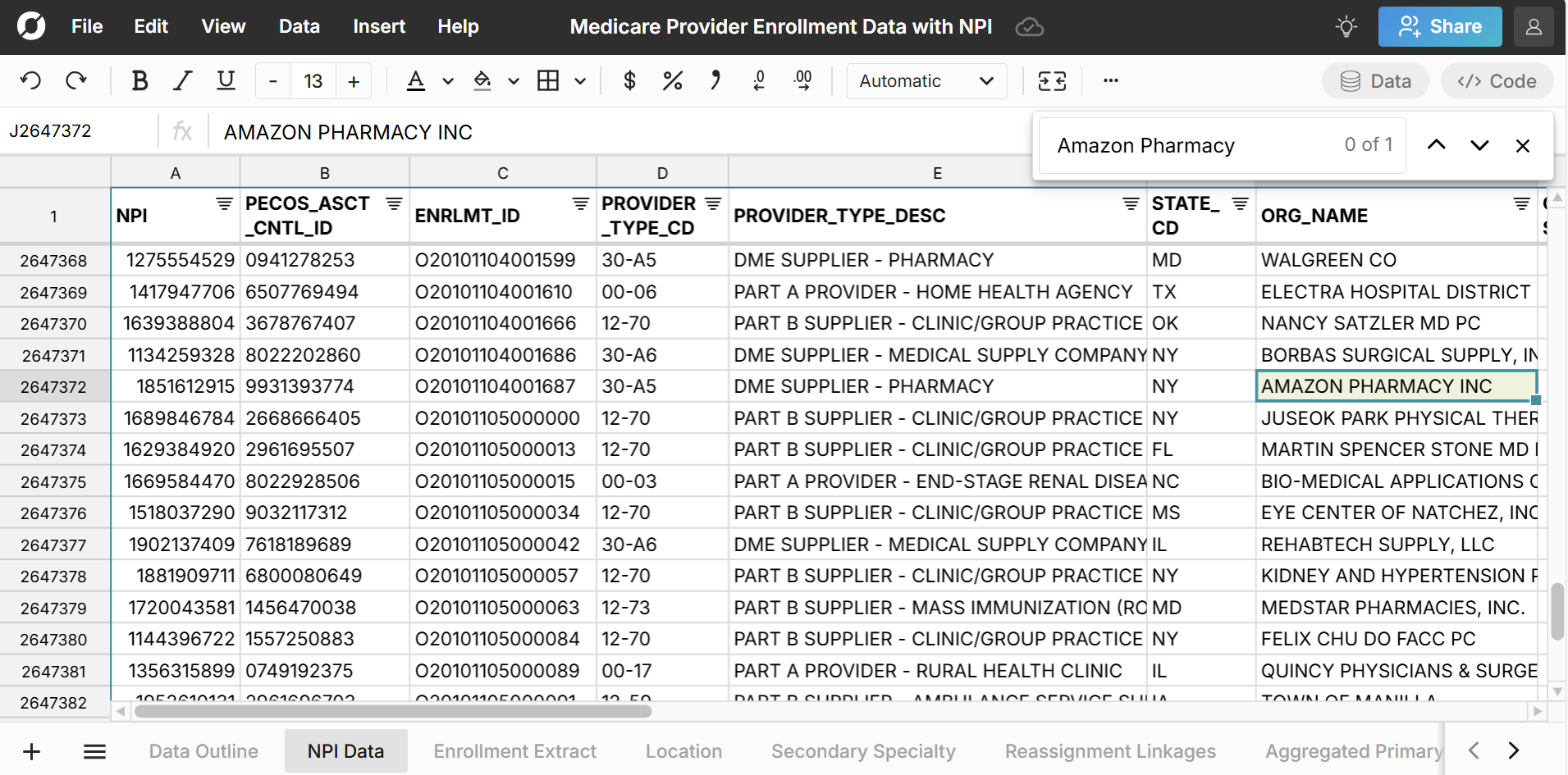
You can also search with Ctrl + F to lookup the NPI for a specific doctor, provider, or supplier. For example, you can search for the Amazon Pharmacy NPI - 1851612915.
How to lookup NPI by location and specialty
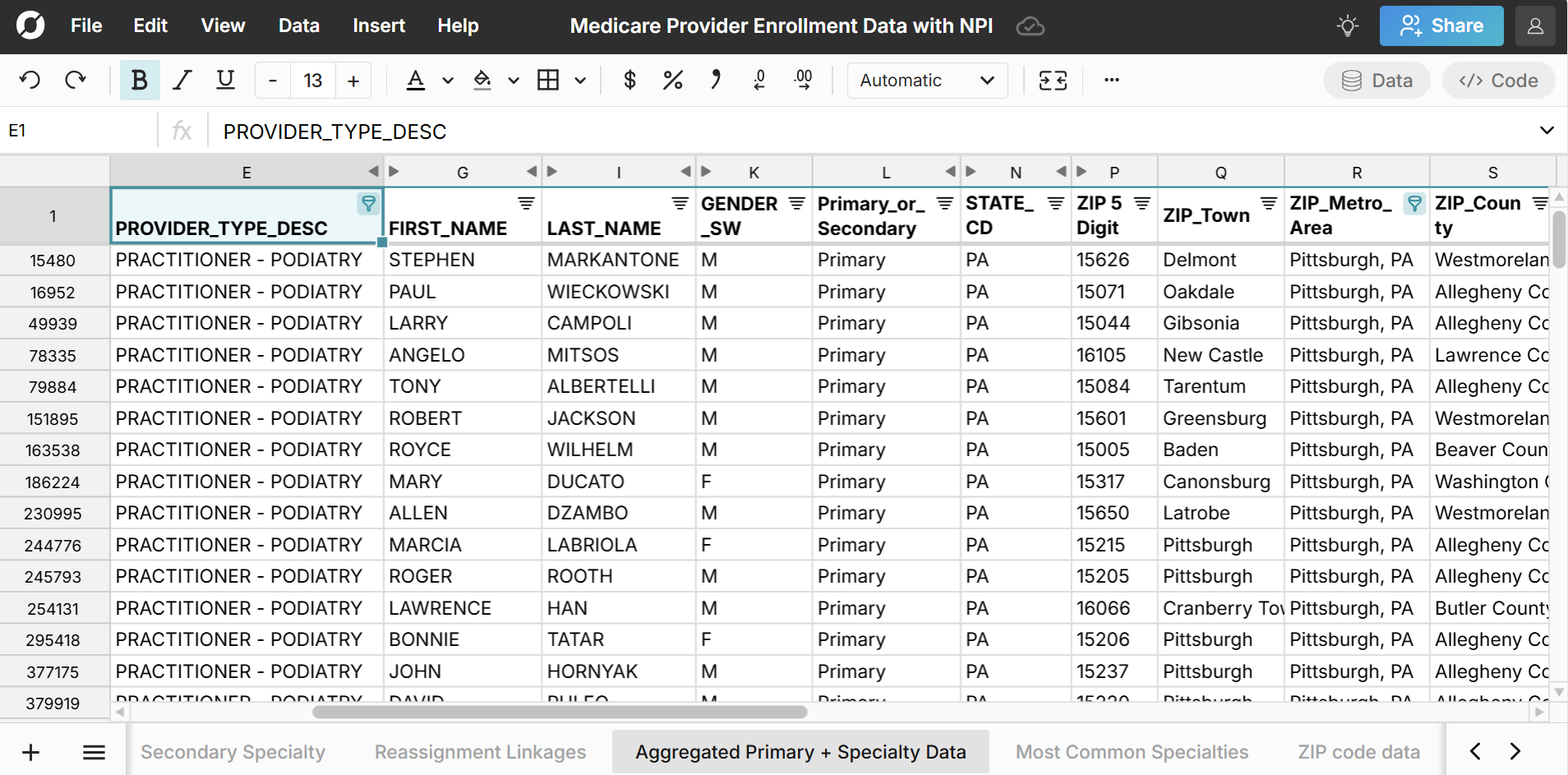
To search NPI by location and specialty go to the Aggregated Specialty Data sheet and filter by specialty and location.
Data Sources
The data source for this NPI dataset is the Medicare Fee-For-Service Public Provider Enrollment dataset at Data.CMS.gov. To access the latest NPI data visit the link above and click 'Download' to download a ZIP file of the latest provider data. You'll need to unzip the file (you can open the zipped folder and move/copy the files inside to a new folder). Then you can open each file in Row Zero which has the power to handle large datasets (1000x Excel's limits). The spreadsheet linked in this post has been updated as of April 2025 with the most recent data available.
Note you can also access the full NPI database including both active and deactivated NPIs on the CMS.gov website here. Since it includes deactivated NPIs and many additional columns, the file is larger and is too large to open in the free version of Row Zero, so it was not used to source this dataset.
Frequently Asked Questions
NPI stands for National Provider Identifier and is a unique, 10-digit identification number assigned to healthcare providers and organizations in the United States by the Centers for Medicare & Medicaid Services (CMS). NPI is used to standardize provider identification across billing, electronic medical records, insurance claim data and many other types of data involving individual clinicians and organizations.
NPPES stands for National Plan & Provider Enumeration System. The NPPES database and portal issues and manages National Provider Identifiers (NPI) for healthcare providers in the U.S.
The most recent file from the Medicare Public Provider Enrollment dataset included 2,922,752 active providers.
No, you will not be able to open the full NPI dataset in Excel, because the file is too large for Excel. Excel has a max row limit of 1,048,576 rows and the NPI database contains more than 1 million rows of data. You'll need to open in a more powerful spreadsheet like Row Zero.
No, you will not be able to open the full NPI dataset in Google Sheets. Google Sheets has a 100MB import limit and this NPI dataset includes a 294MB CSV file. Google Sheets also has a 10 million cell limit and the files contain more than 10 million cells. You'll need to open in a more powerful spreadsheet like Row Zero.
Yes, the NPI spreadsheet template provided here is free as is the NPI source data provided by the Data.CMS.gov.