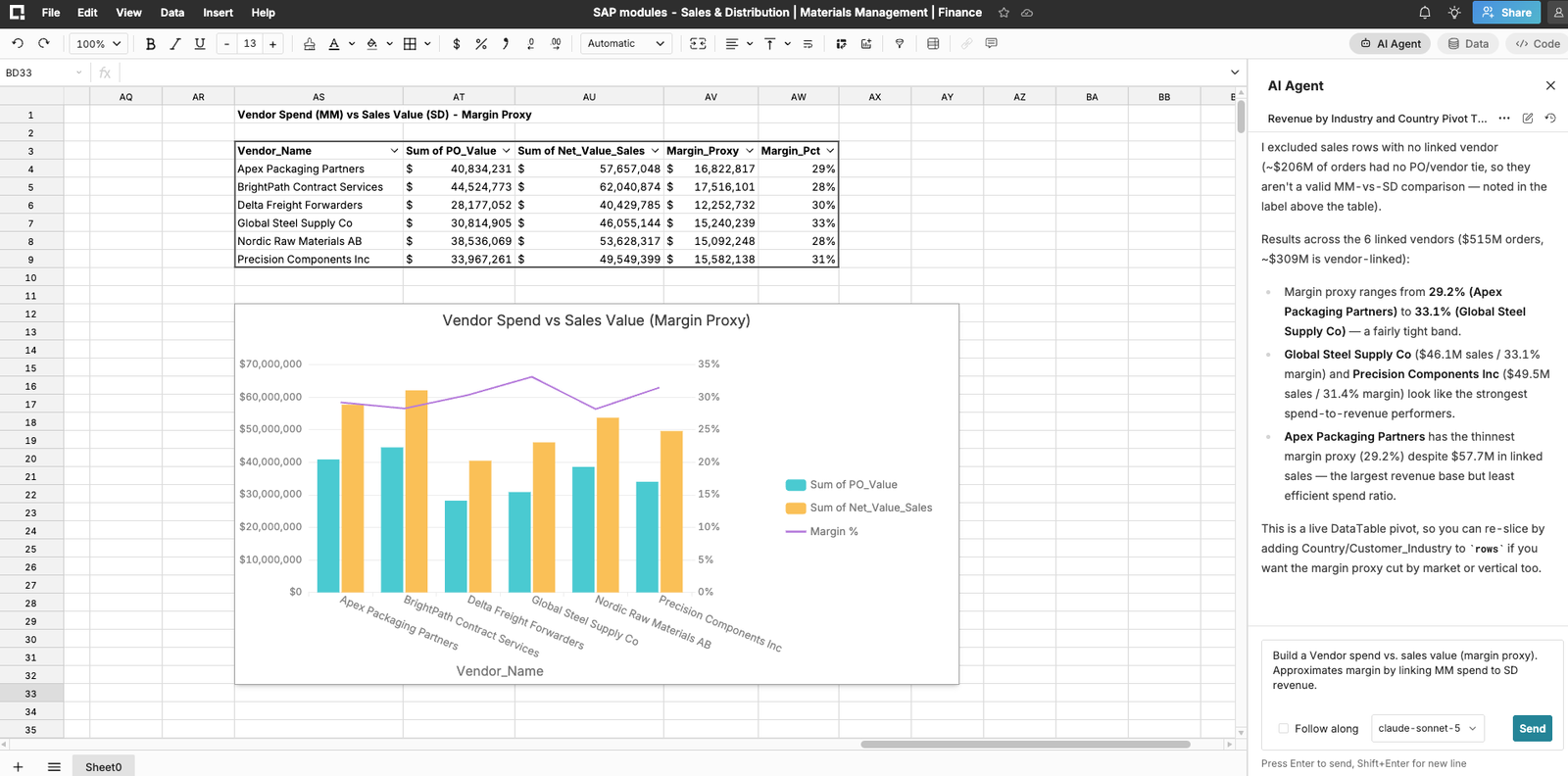
Databricks just made it a lot easier for business users to get governed lakehouse data into Excel. The new Databricks Excel Add-in, now in public preview, lets anyone browse, filter, and pivot on Unity Catalog tables and metric views right inside a spreadsheet, no SQL required and no IT ticket needed.
We think this is great news. Databricks is one of our closest partners and a customer. Our own customers tell us the same thing the Databricks product team is clearly hearing, that business teams live in spreadsheets, and the more directly they can reach governed data, the better off everyone is.
So we wanted to write a clear, honest comparison. Where does the Databricks Excel Add-in shine? Where does Row Zero's connected tables approach take over? And how do the two actually work together, since plenty of our customers use both.
The shared starting point: stop exporting CSVs
Before getting into the differences, it is worth celebrating what Databricks and Row Zero agree on completely. The old way of getting warehouse data into a spreadsheet was to run a query, export a CSV, and email it around. That CSV becomes an ungoverned copy the moment it lands on someone's desktop. It has no row level security, no audit trail, and no expiration date. Multiply that by every analyst, every week, across a large org, and you get a sprawling, untracked shadow copy of your most sensitive business data sitting in inboxes and shared drives.
Both the Databricks Excel Add-in and Row Zero are built to eliminate that pattern. Databricks does it by bringing governed Unity Catalog access straight into the Excel ribbon. Row Zero does it by making the spreadsheet itself a live, connected view into the warehouse. Different architectures, same instinct: keep the data where it is governed, and bring the analysis to the data instead of the data to the analyst's hard drive.
Databricks Excel Add-in: a strong fit for small and medium business teams
For small and medium sized businesses, especially teams that already run Databricks as their core data platform, the new add-in is a genuinely useful tool. A few reasons why it earns a spot in the stack:
It meets business users exactly where they are. The add-in installs in a few clicks from the Microsoft Office Marketplace and runs right inside Excel for the web, Windows, and Mac. There is no new interface to learn. Finance, ops, and sales teams keep their muscle memory and gain a direct line to the lakehouse.
It is genuinely governed by default. The add-in is built on Databricks SQL and Unity Catalog, so permissions, lineage, and metric definitions follow the data into Excel. A business user can only see what Unity Catalog says they are allowed to see. That is a real governance win for any size company, and it is a big step up from the manual ODBC setups and ungoverned extracts that used to be the norm.
It is light on IT overhead. For a smaller team without a large platform or data engineering function, that matters. A workspace admin enables the connector, a user signs in with SSO, and they are working with live tables and metric views in minutes.
It is a natural fit for one off and lighter weight analysis. Pulling a governed table into a pivot table, refreshing it before a meeting, or checking a metric view against the latest numbers in Unity Catalog all work well in this model. For smaller datasets and simpler workflows, native Excel plus a governed connection is a clean, low friction combination.
That is real value for SMB teams running lean, the add-in is a smart, secure way to put governed data in front of more people without adding headcount or complexity.
Where enterprise teams need something more: Row Zero connected tables
As companies scale, the questions get harder. It is not just "can my business users see a governed metric view?" It is:
- Can our entire finance org build a billion row model on live warehouse data without anyone exporting a single file?
- Can our security team prove, in an audit, that sensitive data never left the warehouse?
- Does the spreadsheet itself become a new place where ungoverned copies pile up?
This is where Row Zero's connected tables take governance and security further, in ways purpose built for enterprise scale.
Row level security and RBAC that travel with the data
Row Zero connected tables inherit row level security and role based access controls directly from the source warehouse. The same governance rules your data team has already built in Databricks apply automatically in Row Zero, for every user, every time. Combined with the ability to restrict data export entirely, security teams get something they rarely get from a spreadsheet: a guarantee that what a user sees in the cell is exactly, and only, what they are entitled to see, with no path to slip that data out as a local file.
Zero Data Retention, enforced by architecture
The biggest gap between a plugin model and Row Zero's architecture comes down to one question: where does the data actually live once it leaves the warehouse?
With Row Zero, the answer is nowhere. Every connected table query runs against your warehouse, including Databricks, processes in memory, displays in the spreadsheet, and is discarded and delivered to your cloud storage the moment the session ends. Nothing is written to Row Zero's storage. No query inputs, no spreadsheet content, no analysis outputs. Your prompts and data are never used to train any model, and Row Zero does not build its own AI models. This is Zero Data Retention, and it is verified annually by an independent third party auditor as part of Row Zero's SOC 2 Type II review.
That matters enormously once you are operating at enterprise scale. A spreadsheet plugin that brings governed data into a familiar tool is a meaningful improvement over CSV exports. But once that data is sitting inside a spreadsheet file on a laptop, a sync folder, or an email attachment, it has left the governed environment. It becomes one more copy to track, secure, and eventually delete. Row Zero's connected tables never create that copy in the first place. The data stays in your governed Databricks environment and is only ever a live, temporary view.
Built for the scale enterprise teams actually have
Enterprise data does not stay small. Row Zero opens and works on over a billion rows natively, roughly a thousand times the capacity of Excel, with full formula compatibility so finance and ops teams keep the muscle memory they already have. Pivoting, filtering, and graphing across that volume happens at native cloud speed rather than crawling to a halt the way legacy spreadsheets do once a workbook gets large. For an enterprise FP&A team building a global forecast model directly on Databricks data, or a security team analyzing billions of log rows without sampling down to "good enough," that scale and speed is not a nice to have. It is the entire reason a spreadsheet plugin built for lighter weight Excel workflows starts to struggle as data volume and user count both climb.
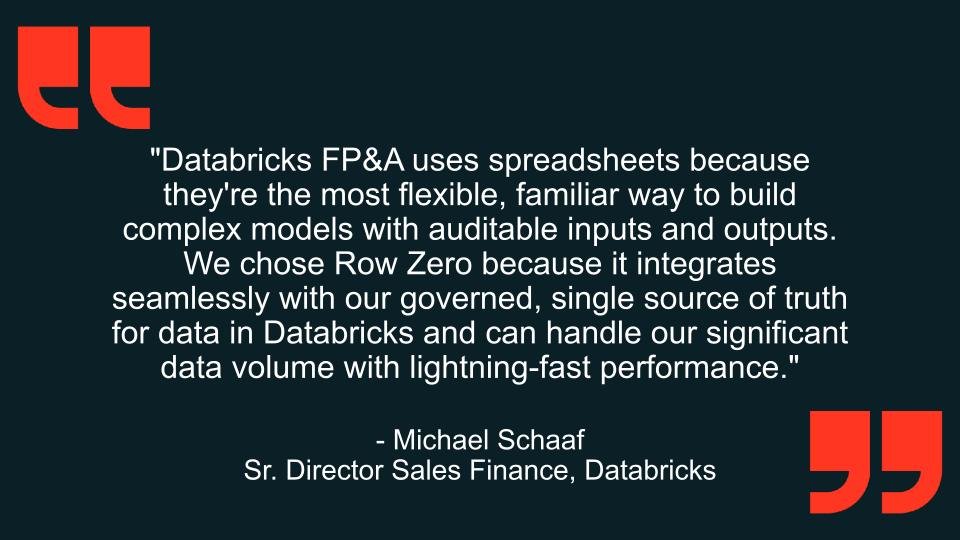
Why Databricks FP&A team chose Row Zero:
Compliance that gets simpler, not harder, as you grow
For enterprise teams managing GDPR, HIPAA, SOC 2, or CCPA obligations across thousands of users, every retained copy of data is a liability. Row Zero's Zero Data Retention model means there is nothing in Row Zero's systems to delete when a GDPR erasure request comes in, no PHI sitting in storage to worry about under HIPAA, and a much simpler story to tell auditors during SOC 2 review season. Governance does not get harder as the company scales. It gets easier, because the architecture was built around having nothing extra to govern in the first place.
This is precisely the model that led AWS, after evaluating thirteen alternatives, to choose Row Zero specifically because it eliminated uncontrolled data exports while still giving teams the spreadsheet experience they wanted. It is the same reasoning that led Databricks's own internal Sales Finance team to choose Row Zero, because it connects seamlessly to their governed, single source of truth and still performs at their data volume.
Databricks Excel Add-in and Row Zero
The Databricks Excel Add-in is an excellent tool, and we are glad to see Databricks investing in governed access for business users. For smaller teams and lighter weight workflows, it is a smart, secure way to bring Unity Catalog data into Excel with almost no setup cost.
If your team is exploring how to bring governed Databricks data into spreadsheets at scale, we would love to show you what a connected table looks like in Row Zero.
Try Row Zero free or schedule a demo to talk through connecting to your Databricks warehouse.