While data warehouses provide rigorous, audited security, exporting data to CSV files creates uncontrolled, invisible risks as files circulate outside governed systems. This spreadsheet security best practices guide details the export lifecycle, essential mitigation practices, and structural solutions to eliminate data proliferation risks.
How a CSV Export Becomes a Security Liability
A single CSV export does not feel like a security event. It feels like getting your work done. The problem is not the individual file. It is what happens to it over time, and how many copies exist by the time anyone thinks to ask.
The Moment the File Leaves the Warehouse
The instant a CSV is generated from a database or data warehouse query, several things happen simultaneously. A copy of the data now exists outside the governed environment. The row-level security that restricted what each user could see in the warehouse no longer applies to the file. The audit trail that tracked who accessed what inside the warehouse ends at the moment of export. The data integrity guarantees your engineering team maintains inside the warehouse no longer protect this copy.
From the security team’s perspective, a CSV export is a data egress event. From the analyst’s perspective, it is Tuesday morning and the report needs to be done by noon.
Where Files Go After Export
The lifecycle of a CSV file in a typical organization follows a predictable path that creates compounding risk at every step.
- The file downloads to the local Downloads folder of the analyst’s laptop. It sits there, unencrypted, alongside every other file on that machine.
- The analyst opens it in Excel or Google Sheets. If it’s Google Sheets, a copy now exists in that user’s Google Drive, which may sync to other devices.
- The analyst emails the file to a manager for review. The file now exists in two email inboxes, potentially on two separate devices, and in the sent folder of the original sender.
- The manager uploads the file to a shared drive for the team. The file is now accessible to everyone with drive access, regardless of whether they had access to the original data in the warehouse.
- The slide deck that references the data gets shared with an external vendor or consultant. The attachment travels outside the organization entirely.
- Six months later, no one remembers any of this happened. The file still exists in all of those locations.
Why Traditional File Permissions Are Not Enough
The common response to this problem is access controls on shared drives. If only the right people have access to the shared folder, the data is protected.
This logic has three significant gaps. First, shared drive permissions are typically managed by whoever created the folder, not by a security team enforcing a consistent policy. Second, files that were emailed or downloaded to local machines are not covered by shared drive permissions at all. Third, when an employee leaves the organization, their personal drives, email, and any files they took with them are outside the company’s control entirely.
File-level encryption solves some of these problems but creates new ones. Encrypted files require key management infrastructure, and keys are routinely shared alongside the files they protect. An encrypted file emailed with the password in the same message is functionally unencrypted.
The Specific Risks at Each Stage of the Spreadsheet Lifecycle
Risk 1: Data Sprawl and Untracked Copies
Data sprawl is the accumulation of untracked, uncontrolled copies of sensitive data across an organization’s devices and systems. CSV exports are its primary cause in most enterprises.
A data team may know exactly where the source data lives in the warehouse. They rarely know how many copies of that data exist in spreadsheet files across the organization, when those copies were last updated, or whether any of them have been shared externally.
Data sprawl creates direct compliance exposure. GDPR’s right to erasure requires that personal data be deleted upon request. If copies of that data exist in spreadsheet files that the security team does not know about, the right to erasure cannot be fulfilled. The organization is in violation regardless of how well the warehouse itself is governed.
Risk 2: Stale Data in High-Stakes Contexts
Security is not only about unauthorized access. It is also about data integrity. A financial model built on a CSV exported three weeks ago contains numbers that were accurate three weeks ago. If that model is used to make a current decision, the decision is based on stale information presented as current fact.
This is a data governance failure that does not look like a security incident until something goes wrong. A variance analysis that uses outdated actuals, a commission model built on last quarter’s CRM snapshot, or a compliance report that reflects data from before a material event all create risk that originates from the same place: a file that stopped being accurate the moment it was created.
Risk 3: Oversharing Beyond Intended Permissions
Row-level security in a data warehouse ensures that a regional sales manager sees only their region’s data. When that manager exports their view to a CSV and shares it with a colleague, the file contains exactly the rows they were authorized to see. But once it is a file, there is no mechanism preventing the colleague from forwarding it to someone who was not authorized to see that region’s data at all.
This is not a hypothetical. It is a routine consequence of a workflow built on file sharing. The original export respects the access controls. Every subsequent share does not.
Risk 4: Local Device Loss or Compromise
Laptops are lost. Laptops are stolen. Laptops are compromised by malware. When sensitive data lives in an unencrypted CSV file on a local device, a device loss event is also a data breach event. The size of the breach depends entirely on what was in the files on that machine, which is often unknown until after the fact.
Regulated industries face mandatory breach notification requirements when personal data on a lost or compromised device cannot be confirmed as encrypted. The cost of a single laptop loss, when it triggers breach notification obligations under GDPR, HIPAA, or state privacy laws, can reach hundreds of thousands of dollars in legal, notification, and remediation costs.
Risk 5: No Audit Trail After Export
Modern data warehouses maintain detailed audit logs. Every query, every access, every change is recorded and available for review. These logs are essential for compliance audits, incident response, and demonstrating due diligence to regulators.
That audit trail ends at the export. Once data is in a CSV file, there is no logging of who opened it, who edited it, who shared it, or where it went. A security incident that involves spreadsheet data is significantly harder to investigate than one that involves warehouse access, because the trail goes cold the moment the file was created.
The Structural Fix: Keeping Data in the Governed Environment
The most effective spreadsheet security practice is eliminating the export step entirely. If data never leaves the warehouse, the downstream risks of data sprawl, stale files, oversharing, and device loss do not apply.
This is not a theoretical possibility. It is what connected spreadsheets make practical for teams that work with data every day.
How Row Zero Eliminates the Export Risk
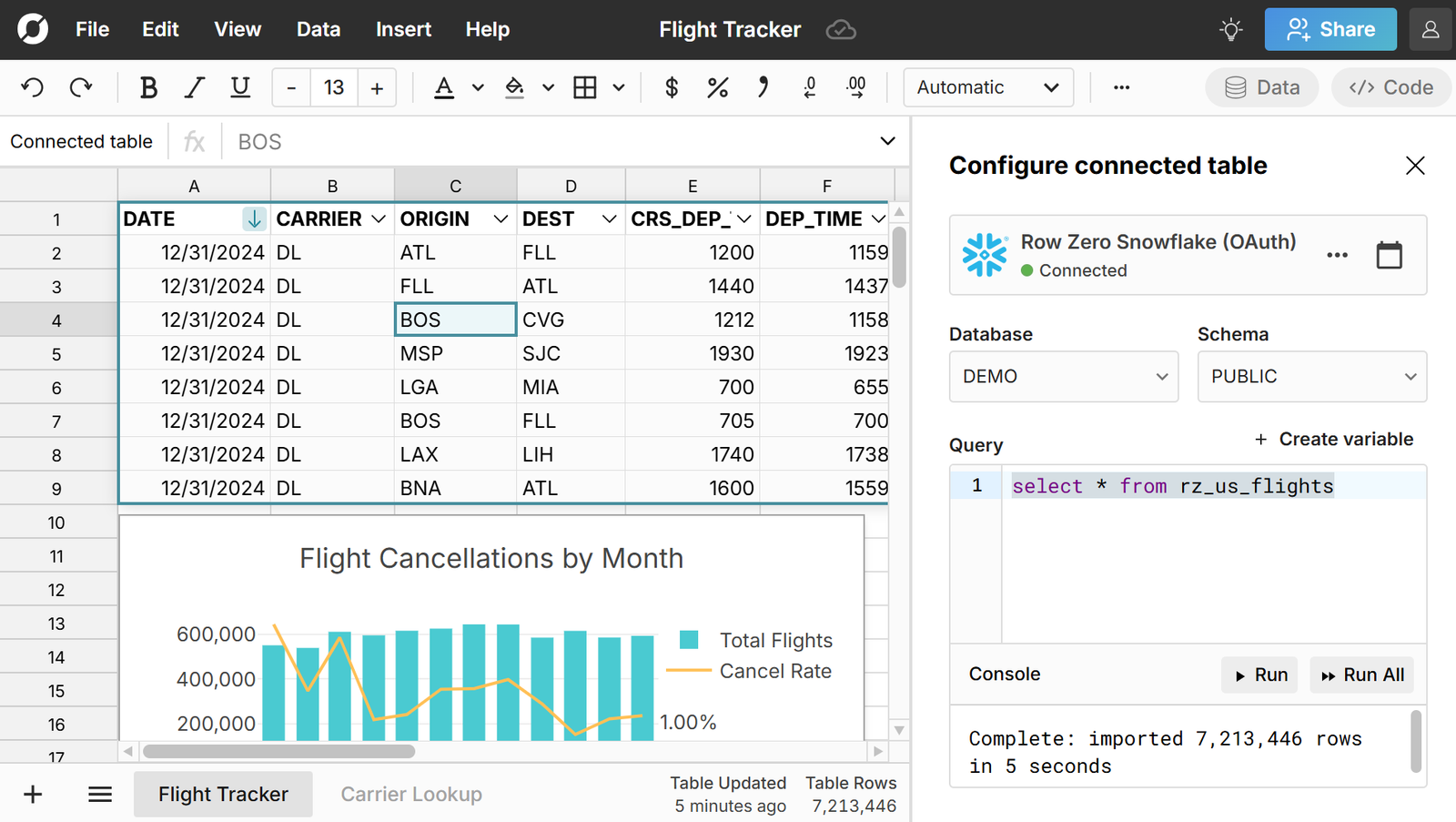
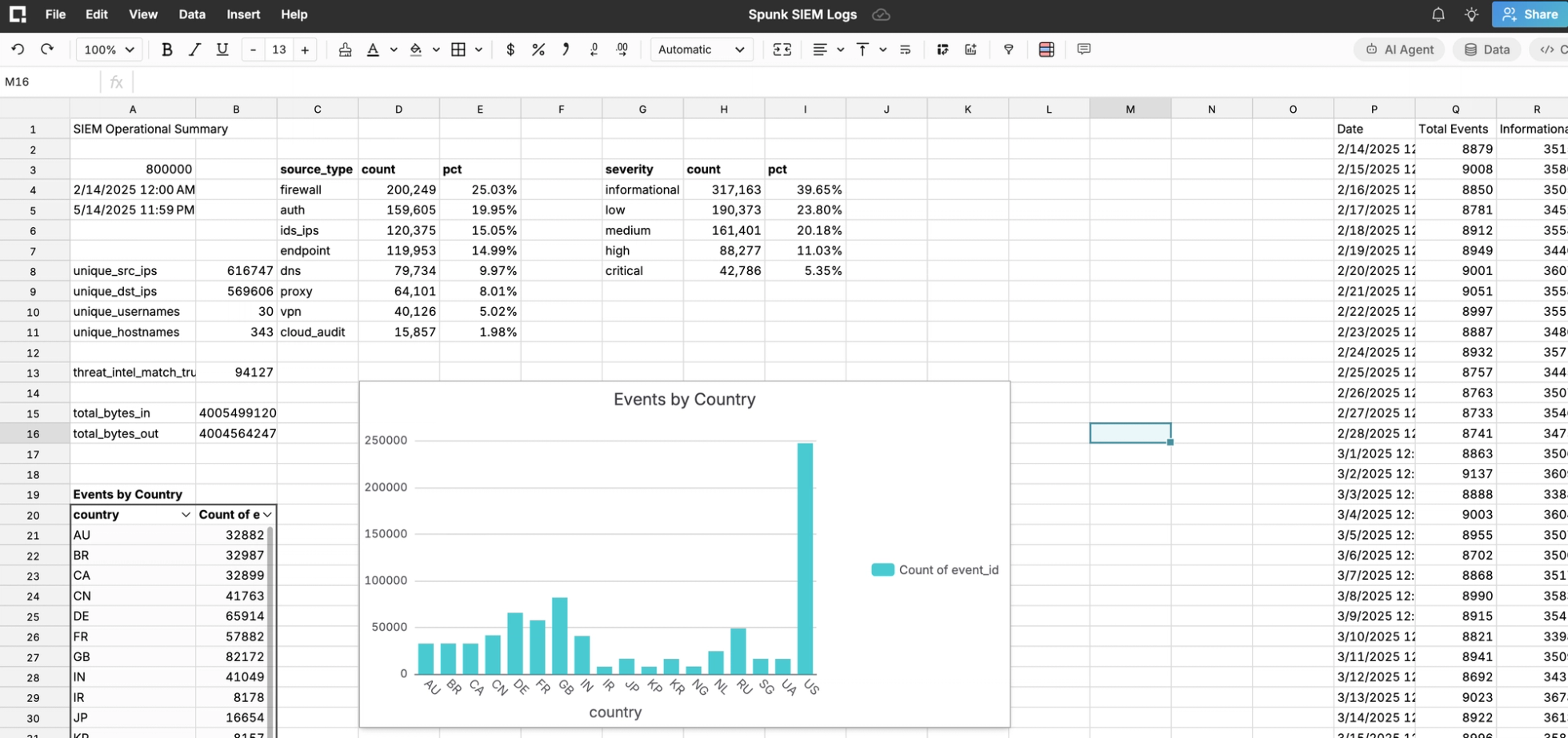
Row Zero connects directly to data warehouses including Snowflake, Databricks, Redshift, BigQuery, Postgres, S3, and Oracle. Analysts work in a familiar spreadsheet interface that queries data live from the warehouse rather than pulling it into a file.
The data is never downloaded to a local device. It is processed in cloud memory and displayed in the spreadsheet. When the session ends, the data is is stored in your AWS, Azure or GCP account. Nothing is written to Row Zero storage. This is not a policy commitment enforced by a terms of service. It is a zero data retention architecture enforced by how the system is built.
Security Controls That Carry Over From the Warehouse
Because Row Zero connects directly to the warehouse rather than exporting from it, the security controls you have already configured continue to apply.
- Row-level security from Snowflake, Redshift, or BigQuery is inherited automatically. Each analyst sees only the rows their warehouse permissions allow, in the spreadsheet, without any additional configuration in Row Zero.
- Role-based access control from the warehouse determines what tables and columns each user can query. An analyst who cannot access the payroll table in Snowflake cannot access it through Row Zero either.
- Export controls restrict whether analysts can download data from the spreadsheet to a local file. Administrators can disable CSV export and clipboard copy at the workbook level, preventing data from leaving the governed environment even within the spreadsheet interface.
- Audit logs capture who accessed which data, when, and what queries were run. The audit trail does not end at an export event because there is no export event.
| Security Factor | Traditional CSV Export Workflow | Row Zero Connected Spreadsheet |
|---|---|---|
| Data location | Copies on laptops, email, shared drives | Data stays in the warehouse |
| Row-level security | Ends at export | Inherited from warehouse automatically |
| Audit trail | Ends at export event | Continuous, warehouse-level logging |
| Device loss exposure | High. Unencrypted files on local devices | Zero. No data stored on devices |
| Export controls | None by default | Admin-configurable, enforced by platform |
| GDPR right to erasure | Difficult. Unknown file copies | Simple. Data lives only in the warehouse |
| HIPAA PHI handling | Lost device is a reportable breach | Ephemeral processing, no breach surface |
| Data sprawl risk | High and growing over time | Eliminated by architecture |
| Stale data risk | Every export is outdated immediately | Live data, always current |
| External sharing risk | Files can be forwarded without restriction | Governed sharing with permission controls |
| SOC 2 compliance | Challenging. File access is untracked | Straightforward. All access logged |
| Zero data retention | ✘ Not applicable | ✔ Enforced by architecture, SOC 2 verified |
What This Means for Each Team
Security and IT teams carry the compliance obligation but rarely control the spreadsheet workflows that create the exposure. Row Zero gives security teams the ability to enforce export controls, inherit warehouse access policies, and maintain a complete audit trail without requiring changes to how analysts do their work. The analyst still uses a spreadsheet. The security team still controls the data
Finance teams work with some of the most sensitive data in the organization. General ledger data, payroll information, and financial forecasts that exist as CSV files on analyst laptops represent direct regulatory exposure. When financial data is accessed through Row Zero instead of exported to files, the audit trail required for SOX compliance, external audits, and internal controls is maintained without additional overhea
Operations teams routinely export customer order data, supply chain records, and personally identifiable information to run their workflows. Each of those exports is an untracked copy of data that may include PII governed by GDPR or CCPA. Connecting operations workflows directly to the warehouse rather than building them on CSV exports eliminates the compliance surface that accumulates from those file
Data teams build and maintain the governance infrastructure that CSV exports undermine. Every access control, every row-level security policy, and every audit log that the data team configures in the warehouse stops working the moment data is exported to a file. Row Zero extends governance to the last mile of analytics rather than ending it at the warehouse boundary. Data teams can give business users self-serve access to governed data without creating uncontrolled file copies in the process.
Legal and compliance teams manage the regulatory obligations that spreadsheet data sprawl creates. GDPR erasure requests that cannot be fulfilled because personal data exists in unknown spreadsheet files, HIPAA breach notifications triggered by lost laptops, and SOC 2 audit findings related to untracked data access are all downstream consequences of the CSV export workflow. Eliminating that workflow eliminates the regulatory exposure it creates.