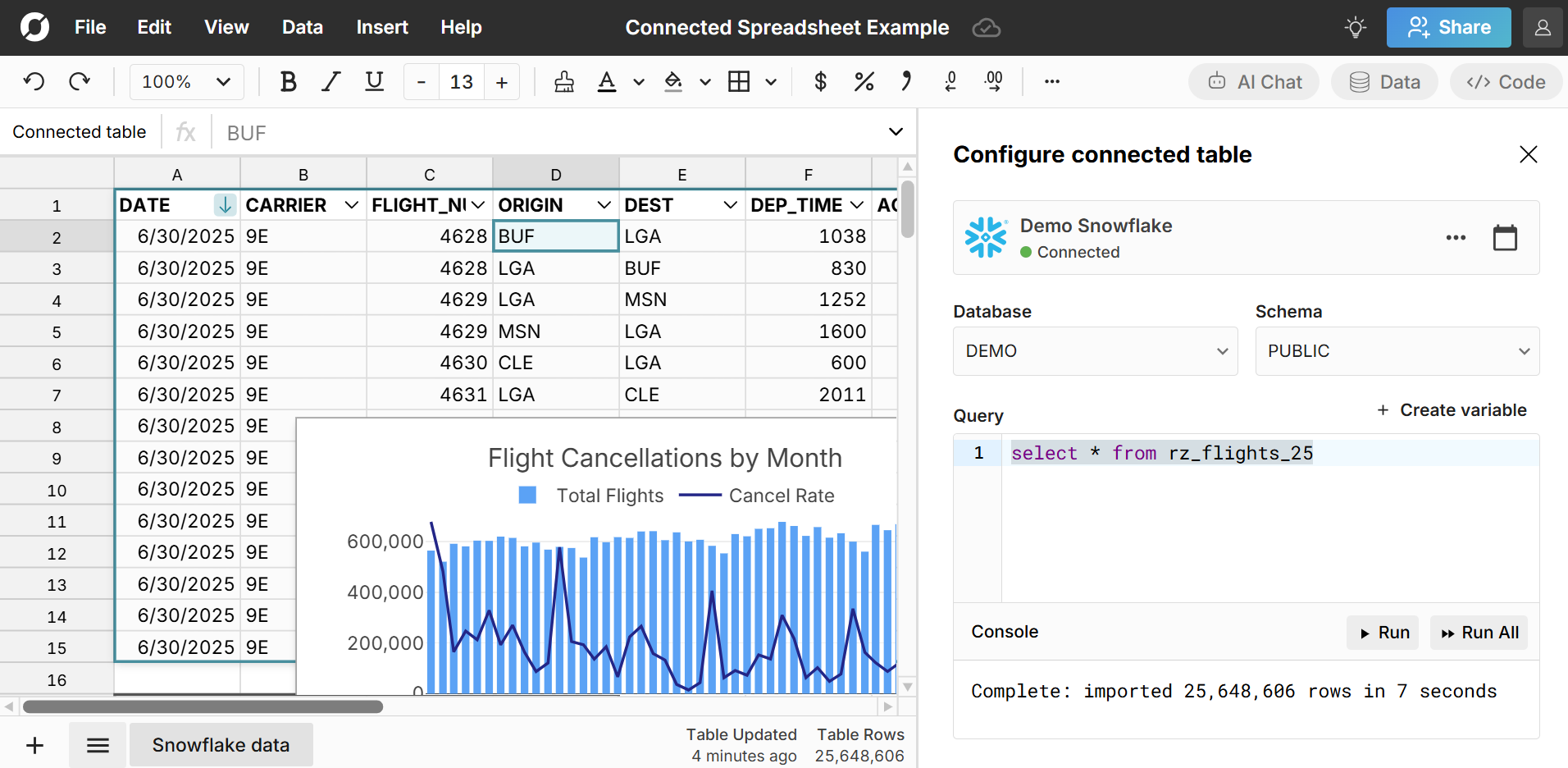
Connected spreadsheets offer one of the biggest ways to improve efficiency and data security in an organization. With connected spreadsheets, your spreadsheet is always up-to-date. There are no files or downloads so data is securely locked in the cloud.
Row Zero is a secure, connected spreadsheet for big data with two-way data connectors to your data warehouse. You can easily build recurring reports that auto-update and import and export massive datasets between your spreadsheet and your data warehouse. In this guide, we outline 7 key advantages of connected spreadsheets in Row Zero.
What is a connected spreadsheet?
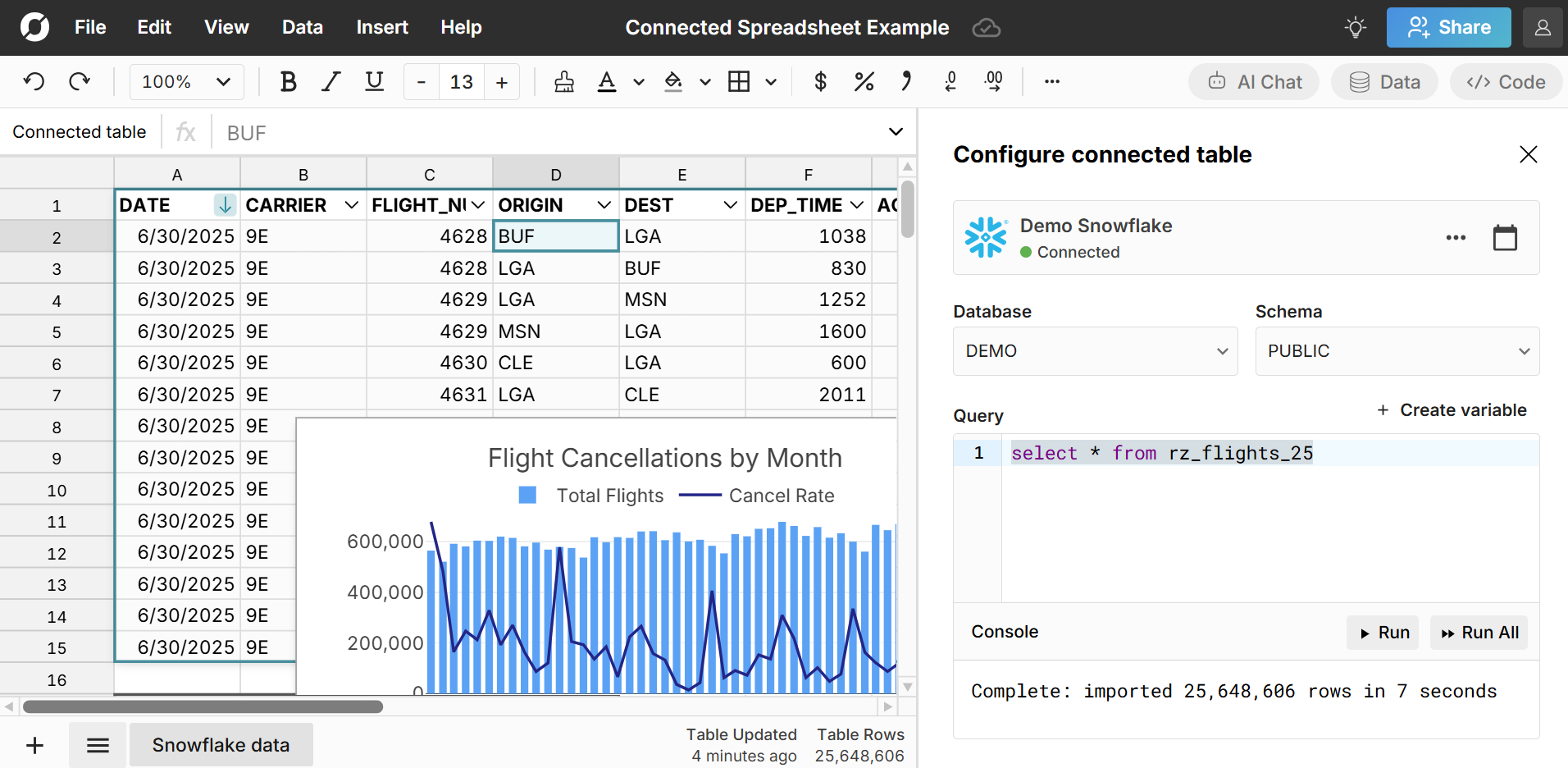
A connected spreadsheet is a spreadsheet that is connected to a data source like a database or data warehouse that can seamlessly import and export data between the spreadsheet and the data source and automatically update the spreadsheet with new data. Row Zero is a powerful, connected spreadsheet with built-in data connectors to popular data sources like Snowflake, Databricks, Redshift, Postgres, and more.
Here's more info on how to build connected spreadsheets in Row Zero.
You can also build connected spreadsheets in Excel and Google Sheets by using add-ins or ODBC drivers. However, these legacy spreadsheets lack several of the key advantages of modern connected spreadsheets outlined below.
7 key advantages of connected spreadsheets
1. Improve spreadsheet efficiency
With connected spreadsheets, you build your analysis once and then schedule auto-updates, so your spreadsheet is always up-to-date. No more manual updates or repeat work. This is critical for recurring spreadsheets like daily tracking spreadsheets, weekly business reviews, monthly reports, and financial statements. You can also leverage built-in date aggregation in pivot tables to automatically summarize new data by day, week, month, quarter, etc.
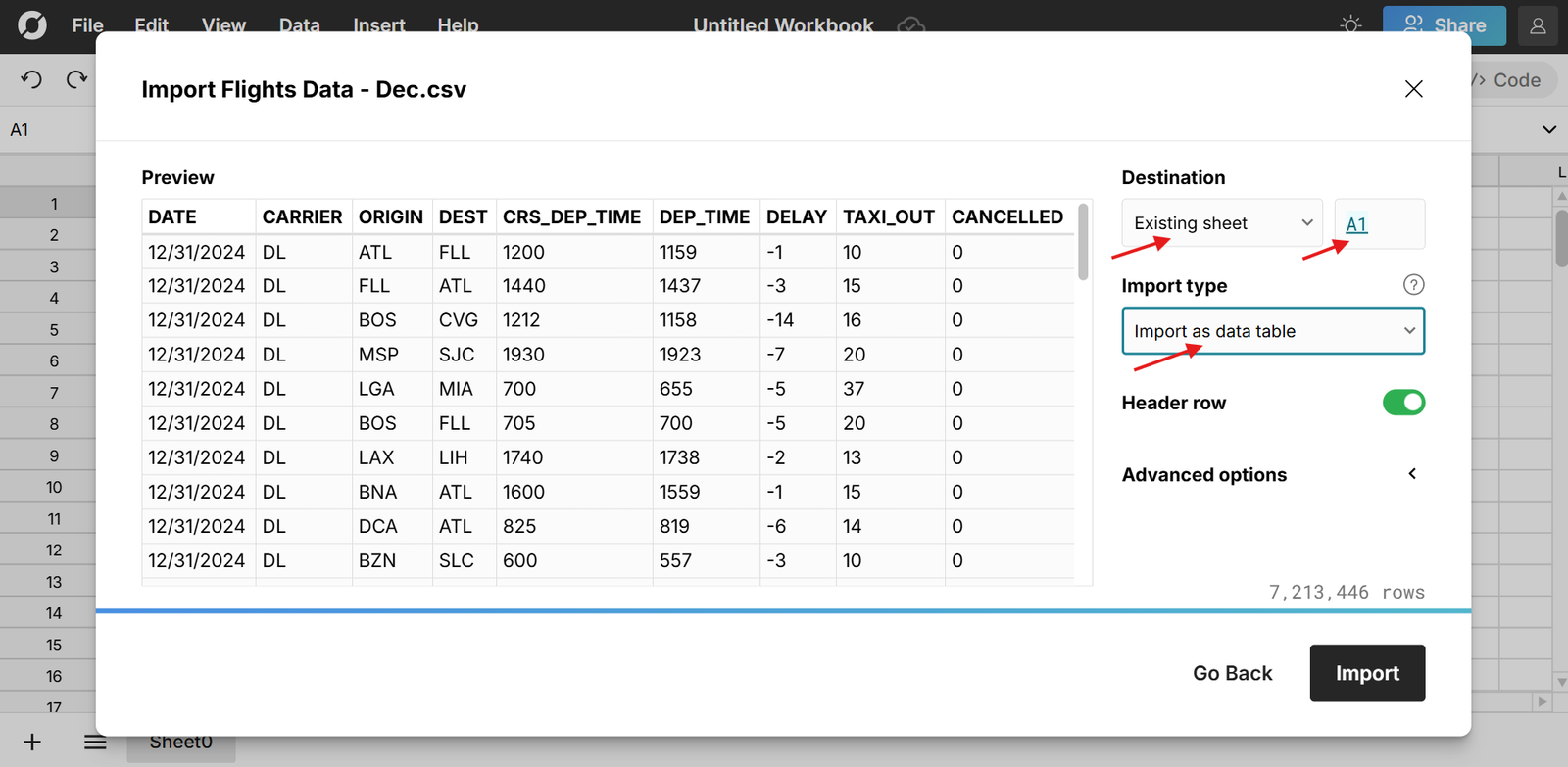
Row Zero's data connectors are highly performant - you can import 10s of millions of rows in seconds and Row Zero is dramatically faster than Excel and Google Sheets when working with big data. You can build pivot tables, charts, and formula calculations on millions of rows in milliseconds.
2. Improve security and data governance
Connected spreadsheets are a pillar of modern cloud security and flip how data flows in an organization. Legacy spreadsheets and BI tools proliferate files of static data. They send data to people. Connected spreadsheets lock data in the cloud and bring people to data.
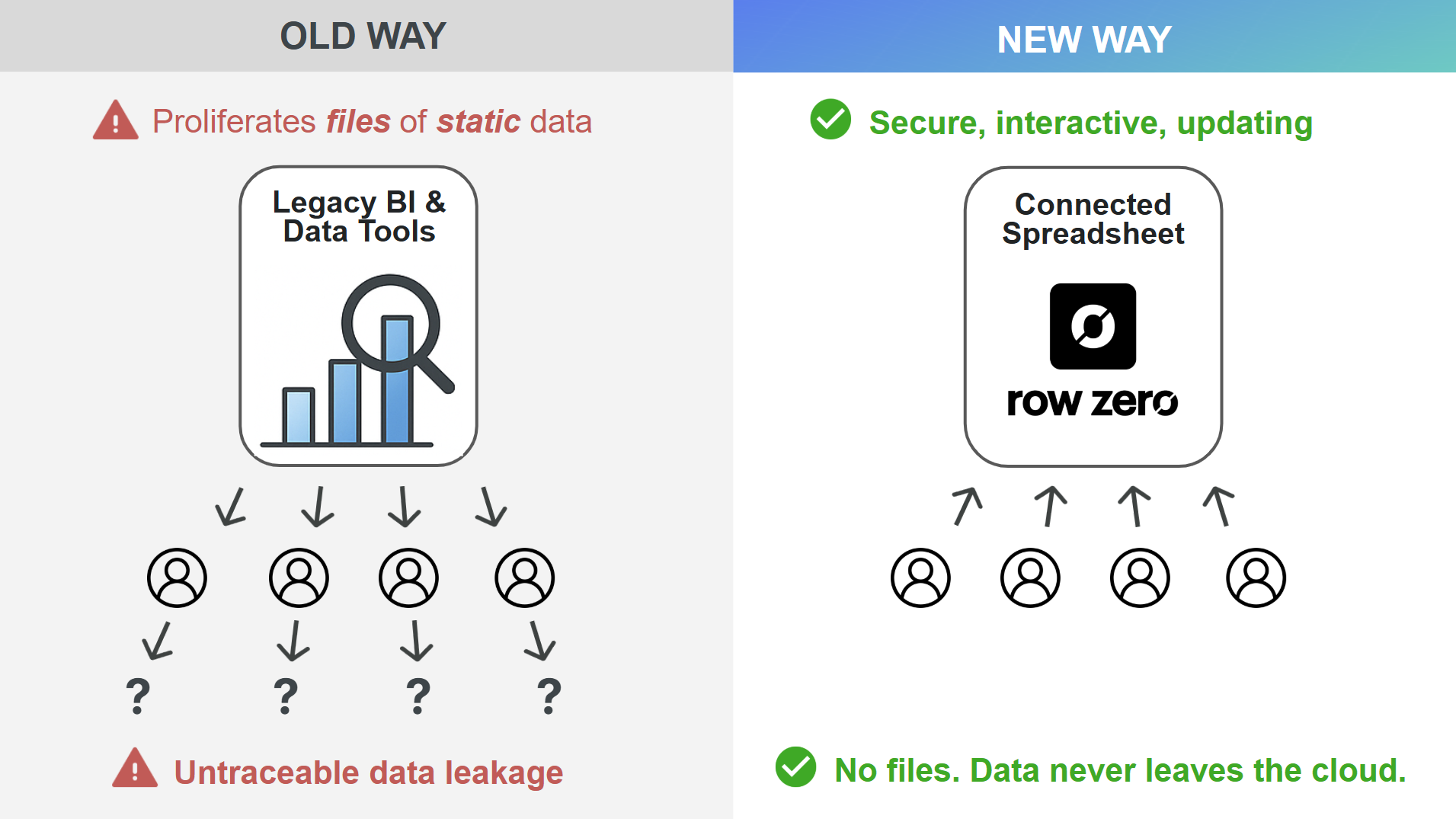
Row Zero connected spreadsheets dramatically improve security and data governance versus using static spreadsheet files and ungoverned CSV downloads. With connected spreadsheets, there are no files. Enterprises can choose to restrict data export, external sharing, and even copy and paste, so data never leaves the cloud.
With Row Zero, Enterprises can ensure spreadsheets are only accessible via secure company login. Organizations can integrate SSO, SCIM, and OAuth to ensure secure authentication and user management. Spreadsheets can also enforce row level security (RLS) and role-based access controls (RBAC) from the data warehouse - so users only see data they're authorized to see. Row Zero is SOC 2, GDPR, and HIPAA compliant.
3. Automate spreadsheet updates
Connected spreadsheets can be set to automatically update with the latest data.
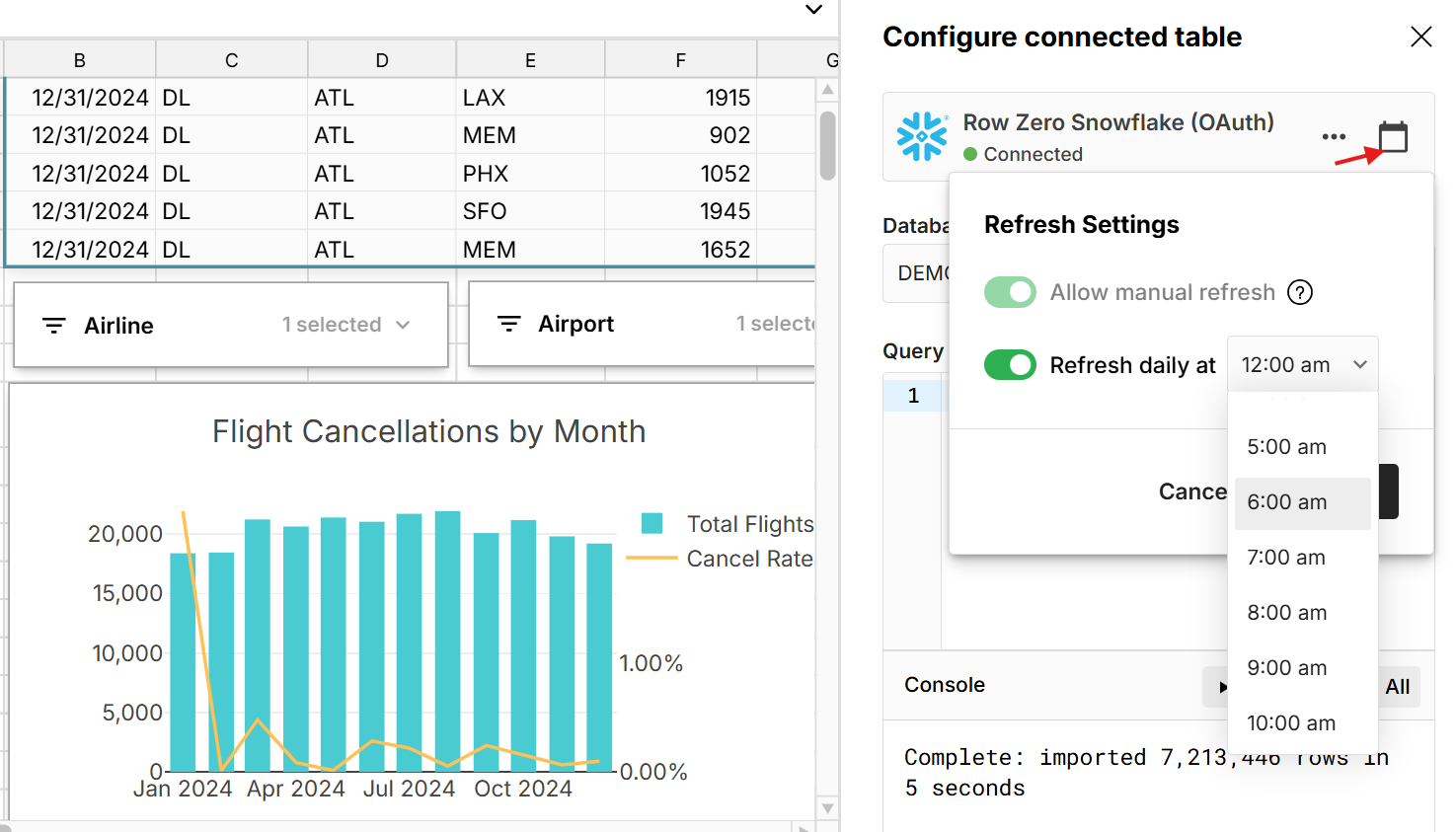
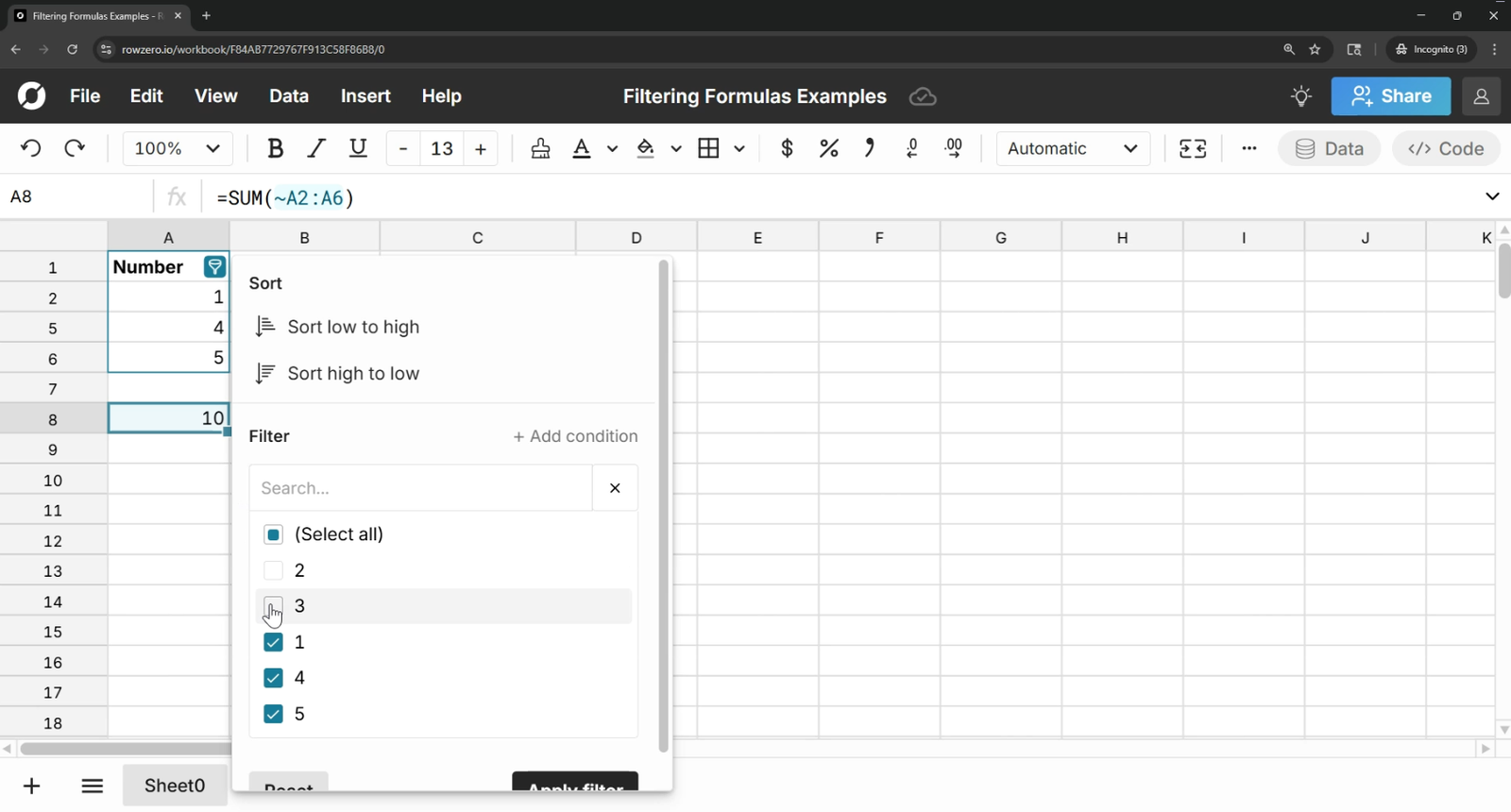
You can also manually trigger updates. Whenever source data is updated, everything built on connected data also updates including pivot tables, charts, formulas, etc. Formatting, filters, and sorts persist through updates as well. So connected spreadsheets automate data updates and also automate spreadsheet transformations on the new data.
4. Make big data accessible
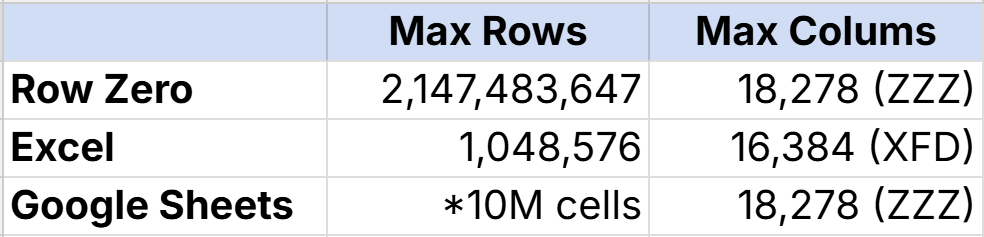
Row Zero is built for big data. Row Zero connected spreadsheets can import 10s of millions of rows in seconds and Enterprise plans can support billion row datasets. That's 1000x bigger than Excel's limits. You can also use SQL in the spreadsheet to query even larger datasets in your data warehouse. Row Zero works like Excel and Google Sheets so it's instantly familiar to spreadsheet users and gives teams secure access to data warehouse data in the comfort of a spreadsheet.
5. Improve collaboration and coordination
Connected spreadsheets make it easy for any teams to collaborate on big data in a universal tool and ensure everyone is working on the same, "source of truth" datasets. Unlike BI tool dashboards, you can easily drill down into the raw data to answer questions and explore the data.
There are two ways to share connected data in Row Zero:
- Share the spreadsheet - Click the blue share button in the top right of the workbook to share connected spreadsheets with teammates. You can give users view or edit access and can have multiple editors in real-time.
- Share the data source - Data teams can share queries as dynamic data sources to give teammates one-click access to run SQL queries in their own spreadsheet. This is a good way to give business users easy access to governed, data warehouse data, while giving them the freedom to build out their own spreadsheets using the data. Data sources can enforce access controls from the data warehouse.
Connected spreadsheets enable self-serve business intelligence across the org, which can reduce ad hoc data requests and foster a data-driven culture.
6. Leverage spreadsheet features vs writing code
Connected spreadsheets make it easy to view and browse data warehouse data and they're great when you don't know what to look for. Since Row Zero can handle massive datasets, you can easily import entire data tables and leverage spreadsheet features to analyze and transform big data rather than writing code. This enables a much faster feedback loop - connect your data once and then analyze your data in real-time in a spreadsheet without writing complex SQL, running more queries, and waiting for run times. Connected spreadsheets are a great GUI for a database or data warehouse.
7. Write back spreadsheet data to your data warehouse
While connected spreadsheets make big data accessible and make it easy to automate spreadsheet updates, they also make it easy to export spreadsheet data back to your data warehouse. You can write back entire sheets, cell ranges, pivot tables, etc.
Spreadsheet write-back also provides an easy way to import files to your data warehouse. You can easily open, view, and clean large files before importing to your data warehouse. Row Zero supports a wide variety of files types including big CSV files, Parquet, JSONL, TXT, TSV, XLSX, etc.
Conclusion
Connected spreadsheets significantly improve efficiency, data security, and collaboration. Row Zero is a secure, connected spreadsheet for big data with two-way data connectors to your data warehouse. You can easily import massive datasets, transform them, and then write-back spreadsheet data to your data warehouse. To get started, open a new workbook and connect to a data source.
Frequently Asked Questions
A connected spreadsheet is a spreadsheet that is connected to a data source like a database or data warehouse that can seamlessly import and export data between the spreadsheet and the data source and automatically update the spreadsheet with new data.
Connected spreadsheets like Row Zero let you connect to a data source to import data and then schedule automated updates on a daily basis to automatically update your spreadsheet with the latest data.
Row Zero has built-in two-way connectors to data warehouses, so you can easily export spreadsheet data to a data warehouse, including cell ranges, pivot tables, or whole sheets of data.
Since Row Zero spreadsheets can handle massive datasets and connect directly to your data warehouse, Row Zero will be faster and more efficient than writing code to clean or analyze your data in most situations. Before Row Zero existed, it was often necessary to write code to analyze datasets too large for Excel, but Row Zero makes it possible to analyze big data in a spreadsheet.