I've spent a lot of time in conversations with data and finance teams at large enterprises, and SAP always comes up. Usually not because someone loves it. Usually because someone is stuck.
SAP Fiori gets brought up a lot in those conversations too, often with a sigh attached. Fiori was supposed to be SAP's answer to a real problem: the old SAP GUI looked and felt like it was built in 2003, because a lot of it was. Fiori gave SAP a cleaner shell, role based tiles, and a more modern browser experience. That was a genuine improvement.
But here's the thing I keep hearing from analysts, finance teams, and operators: Fiori modernized the way SAP looks. It did not modernize the way people actually analyze data. And those are two very different problems.
Let's get into what Fiori actually is, where it holds up, where it doesn't, and why so many teams end up right back in a spreadsheet anyway.
What is SAP Fiori?
SAP Fiori is the design system and user interface layer for SAP products, most commonly SAP S/4HANA. Instead of navigating SAP through cryptic transaction codes in the old SAP GUI, users log into the Fiori launchpad, a browser based home screen made up of tiles.
Each tile represents an app or a business object. Fiori apps generally fall into three buckets: transactional apps for running processes like creating a purchase order, analytical apps for showing KPIs and dashboards, and fact sheet apps for read only lookups. The apps themselves are built on the SAPUI5 framework and talk to SAP's backend through OData services.
It's a real product with real engineering behind it, and for what it does, it does it reasonably well. If your job is to complete a defined SAP process, like approving an invoice or checking a delivery status, Fiori is a much better experience than staring at a green screen transaction code.
Where Fiori actually falls short
The problem shows up the moment someone needs to do real analysis instead of a defined task.
It's built around fixed apps, not flexible analysis. Every Fiori tile is purpose built for one job. Need a KPI dashboard that already exists as a Fiori app? Great. Need to combine that data with numbers from another system, build a new forecast, or ask a question nobody anticipated? You're out of luck inside Fiori. There's no open canvas to actually work in.
Every new view is an IT project. Want a new tile, a new report, or a tweak to an existing analytical app? That typically means a developer, a role assignment, and a request queue. Business users can't just build what they need. They wait for someone else to build it for them.
It's still SAP shaped data. Fiori apps are scoped to SAP objects and SAP processes. The moment your analysis needs to blend SAP data with Salesforce data, warehouse data, or a vendor file, Fiori has nothing to offer. You're back to exporting.
And that export is exactly what happens. This is the part nobody advertises, but every SAP shop knows it. Analysts pull data out of Fiori's analytical apps, dump it into Excel, and do the actual work there. Pivot tables, what if models, ad hoc questions from finance leadership. None of that lives in Fiori. It lives in a spreadsheet, usually a spreadsheet nobody in IT can see, secure, or govern.
So companies end up paying for a modern interface on top of SAP, and then quietly rebuilding their real analytics workflow in ungoverned local spreadsheets anyway. That's not a Fiori problem exactly. It's a legacy analytics problem, and Fiori was never designed to solve it.
What a real upgrade looks like
Row Zero is a cloud AI spreadsheet built for modern enterprise data. It looks and feels like the spreadsheet your team already knows, same formulas, same pivot tables, same keyboard shortcuts, so there's no retraining. But underneath, it's engineered completely differently than Excel, Google Sheets, or a fixed SAP tile ever could be.
Row Zero connects live to the data warehouses that already sit downstream of SAP, places like Snowflake, Databricks, BigQuery, and Redshift, where most enterprises consolidate their SAP data alongside everything else. Instead of exporting a CSV out of a Fiori app and emailing it around, your team queries governed data directly inside the spreadsheet. The data never leaves the cloud. No files, no local downloads, no shadow spreadsheets sitting on someone's desktop.
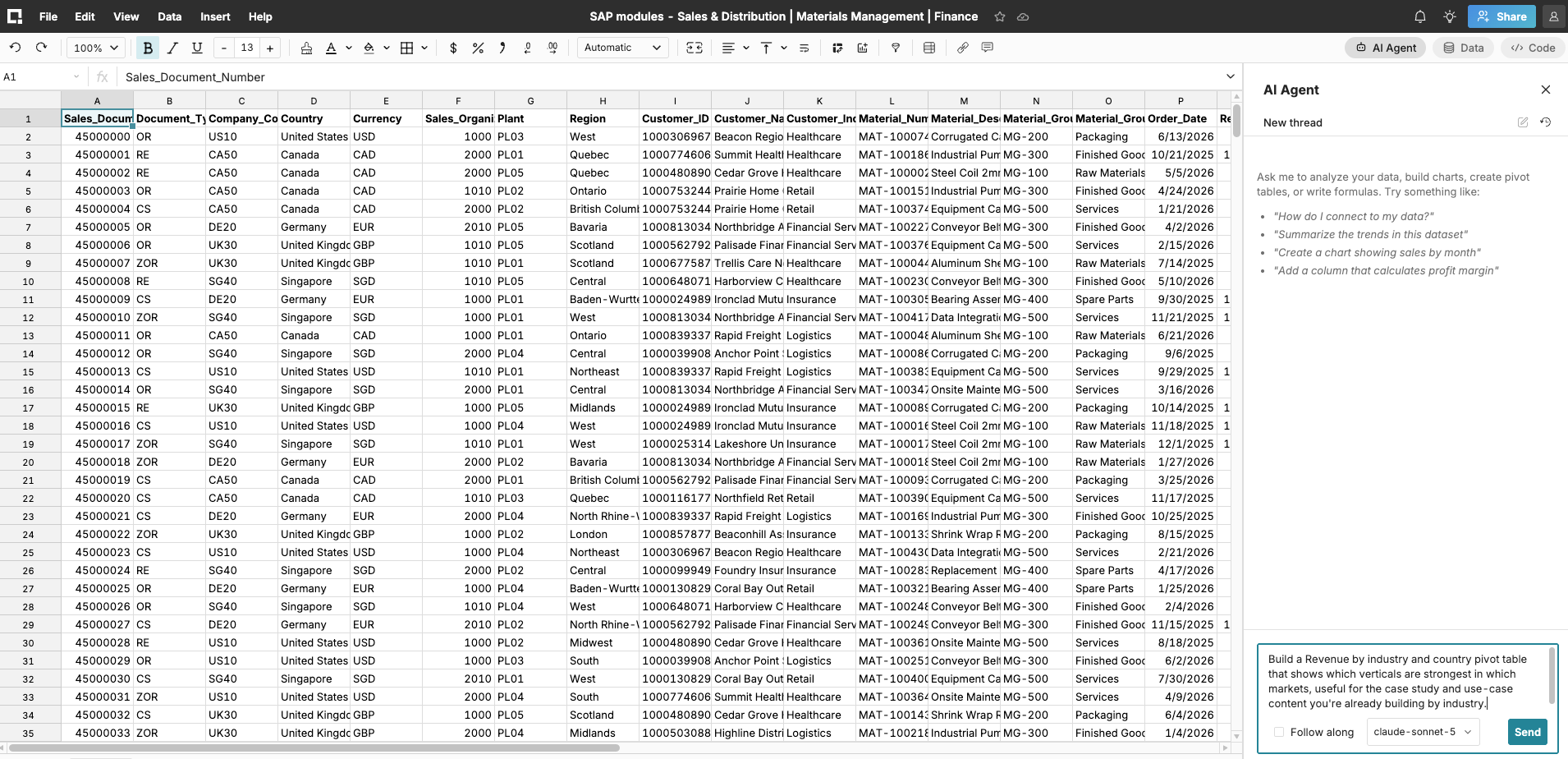
And because Row Zero is engineered for scale, teams can pull in up to two billion rows of data and work with it interactively, something that simply is not possible in Excel or in a Fiori analytical tile. We're talking about analysis that's 1000x bigger than what a traditional spreadsheet can handle, running just as fast as a small dataset would. Within seconds, I combined a massive dataset from three different SAP modules into one clean table that is ready for analysis:
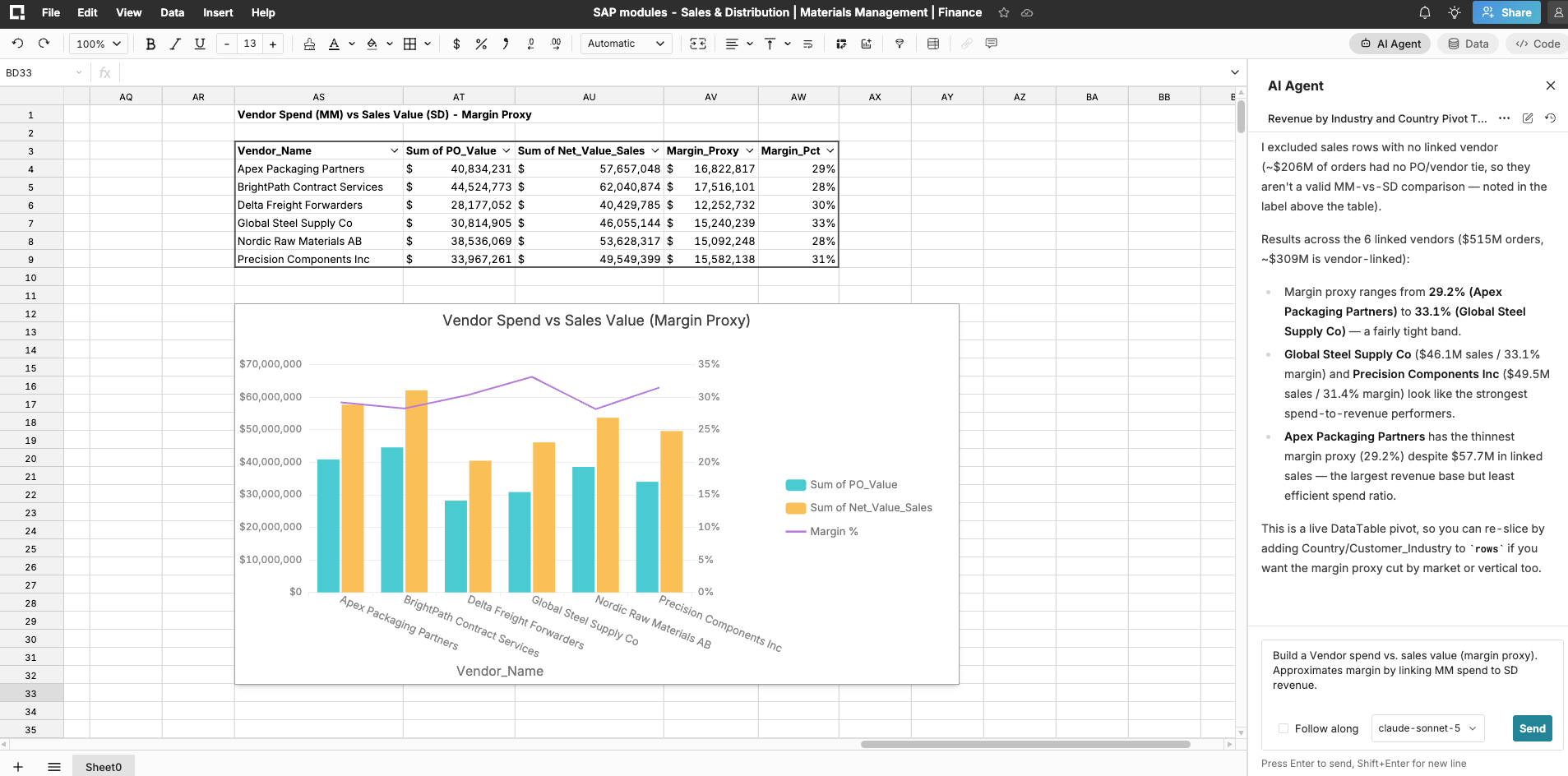
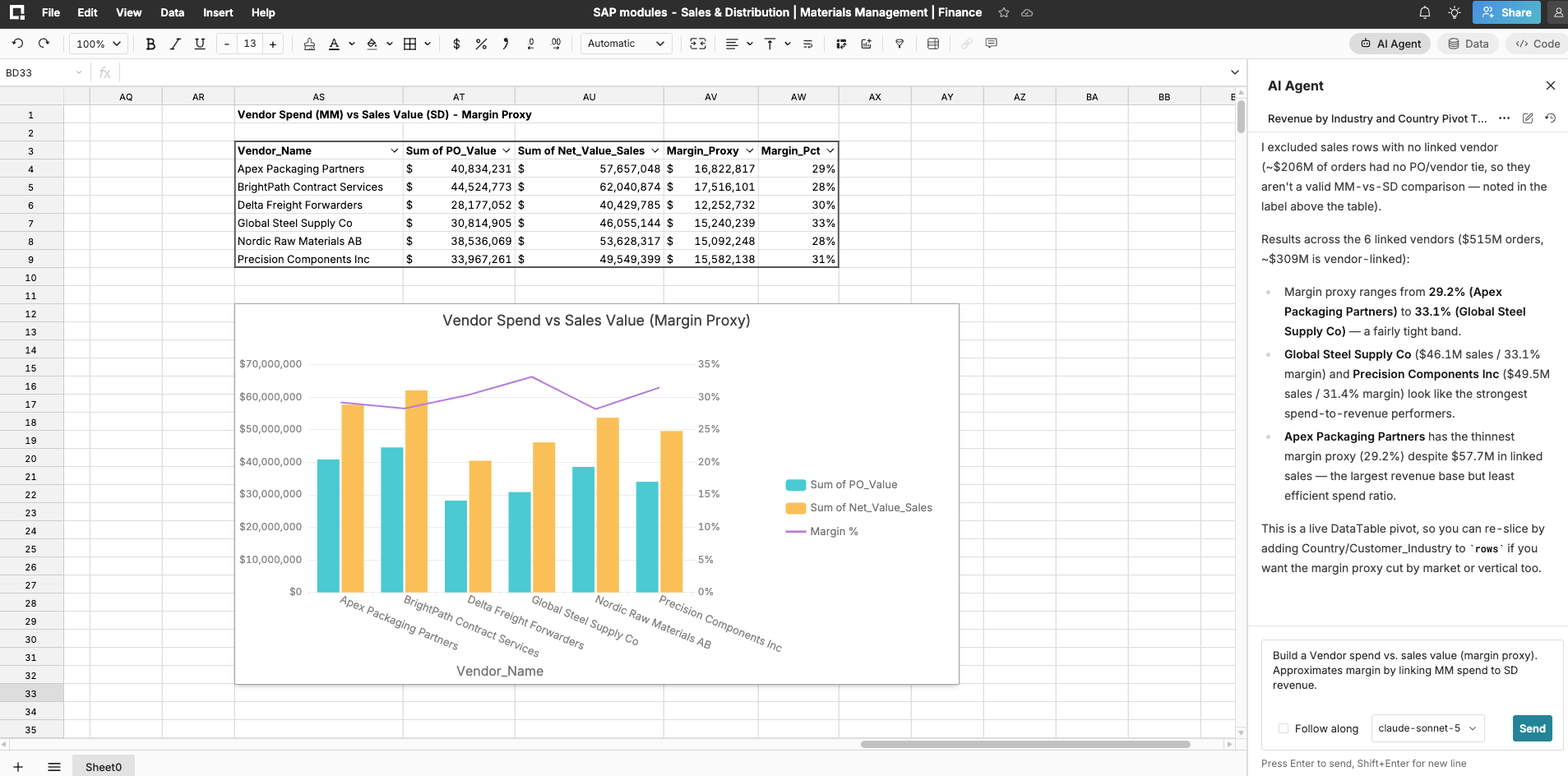
The result is a tool business users can actually build in, not just look at. No developer ticket required to ask a new question. The Row Zero product screenshot below shows vendor spend vs. sales value. It approximates margin by linking materials management spend to sales and distribution revenue, exactly the cross-module blend Fiori can't do natively.
SAP Fiori vs Row Zero
| SAP Fiori | Row Zero | |
|---|---|---|
| What it is | UI shell and app framework for SAP | Cloud spreadsheet for connected, big data analysis |
| Flexibility | Fixed tiles and apps built by IT | Open canvas, build what you need yourself |
| New reports or views | Requires developer and role setup | Built by any business user, no code required |
| Scale | Bound to what the app was built to show | Billions of rows, interactive in real time |
| Data sources | SAP objects only | Snowflake, Databricks, BigQuery, Redshift, and more, alongside SAP data in your warehouse |
| Where real analysis happens | Exported to Excel, off the record | Directly in a governed, connected spreadsheet |
| Security | Governed within SAP, ungoverned once exported | Data stays in the cloud, restricted export, full audit trail |
The pattern we keep seeing
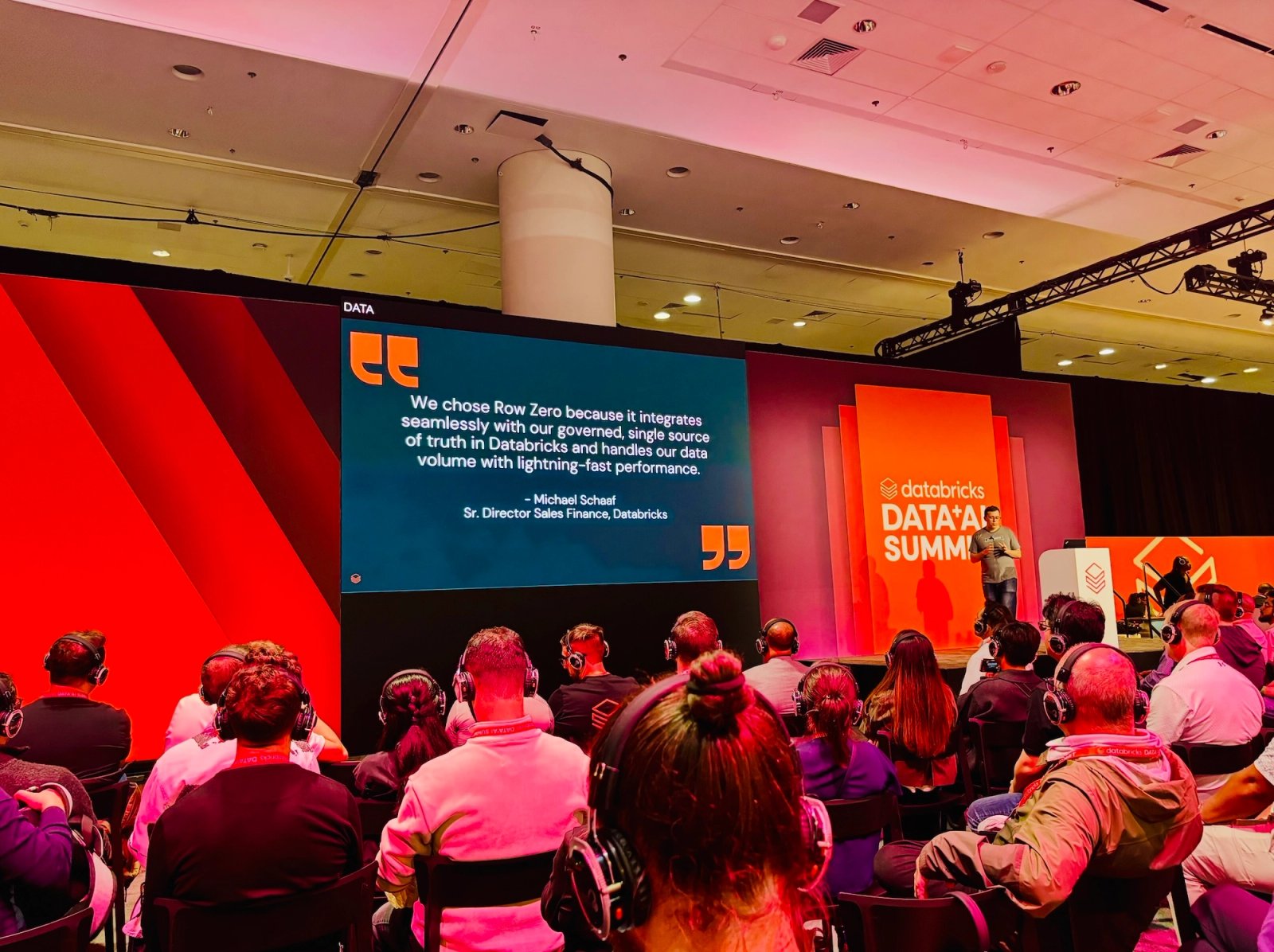
We've watched this play out across enterprise teams that never even touched SAP. AWS evaluated thirteen different approaches before landing on a connected spreadsheet, because every dashboard tool and every legacy spreadsheet workflow they tried forced the same tradeoff Fiori forces: either you get governance and lose flexibility, or you get flexibility and lose governance. Teams there are now saving hours a day because the data updates live instead of sitting in a static export.
That's the same tradeoff SAP shops are living with right now. Fiori gave them a better looking front door. It didn't give them a better way to actually analyze the data behind it.
Conclusion
SAP Fiori solved a real problem. It just wasn't the problem most analytics teams actually have. Looking modern isn't the same as being able to build, model, and explore data on your own terms. If your team is still exporting out of Fiori to get real work done in Excel, you don't have a Fiori problem. You have a legacy analytics problem, and it's time for a modern upgrade.
Frequently asked questions
Not exactly, and that's fine. Fiori is still useful for running defined SAP transactions and processes. Row Zero replaces the part that happens after someone exports data out of Fiori to actually analyze it. That's where the real work, and the real risk, has always lived.
Row Zero connects live to the data warehouses where enterprises consolidate SAP data alongside data from other systems, including Snowflake, Databricks, BigQuery, and Redshift. That gives teams governed, real time access to SAP data without a manual export.
Row Zero is SOC 2 Type II compliant and supports GDPR and HIPAA requirements, along with row level security, restricted data export, and a Zero Data Retention architecture. Data stays governed in the cloud instead of scattered across local spreadsheet files. See all of our enterprise and data governance features.
No. Row Zero works like Excel and Google Sheets, with the same formulas, pivot tables, and shortcuts your team already knows. The learning curve is close to zero.