Bring Your Own Bucket Setup
Some Row Zero connectors (Athena, Teradata, etc.) require you to provide your own AWS S3 bucket for staging data. This guide walks you through creating the bucket, configuring the IAM role and policies, and connecting it to Row Zero.
Step 1: Create an AWS S3 bucket for Row Zero to stage results.
Create a bucket in the same region as your data source. We recommend a name like s3://YOURCOMPANY-ROWZERO-STAGING/.
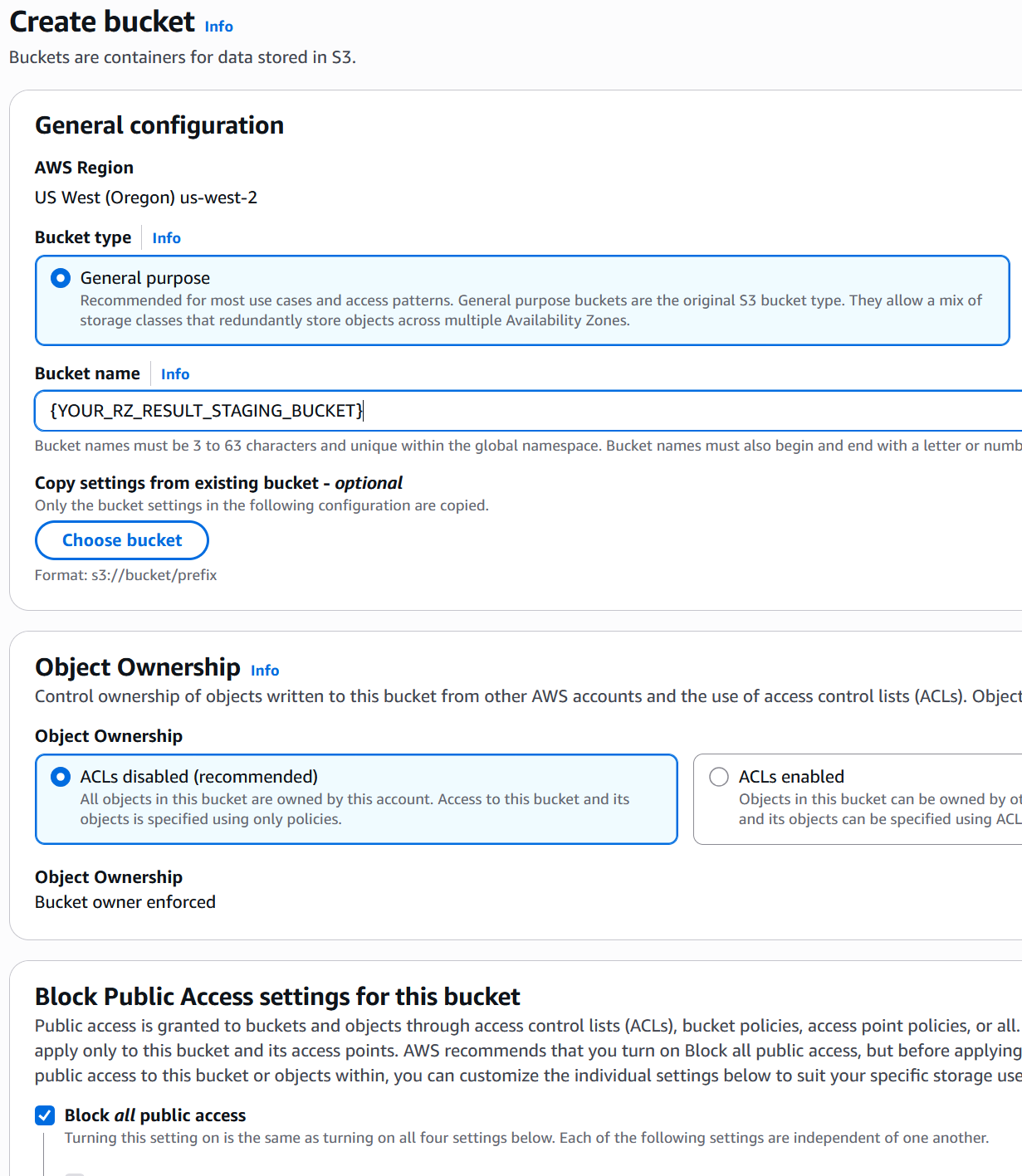
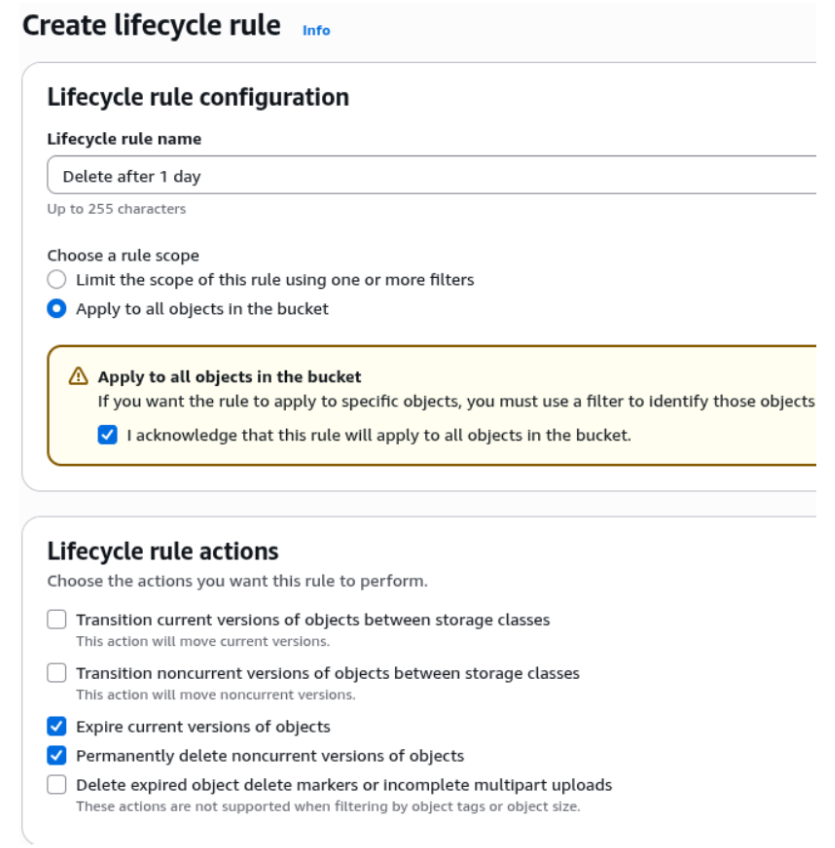
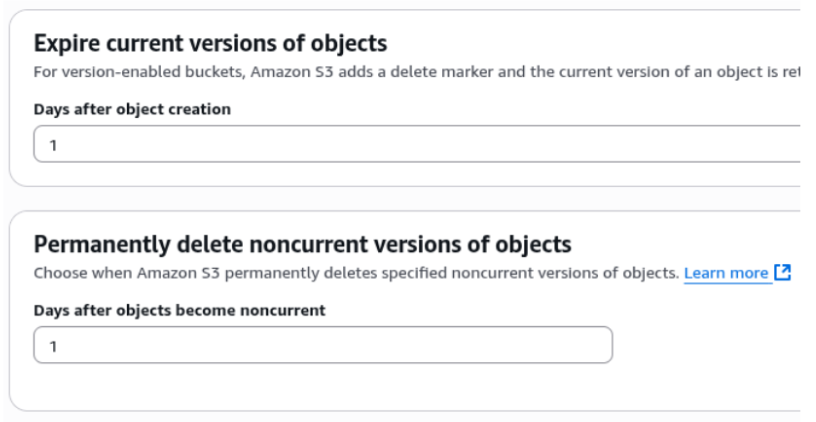
Only temporary data goes into this bucket, so we recommend creating a lifecycle policy to delete all data from this bucket after 1 day.
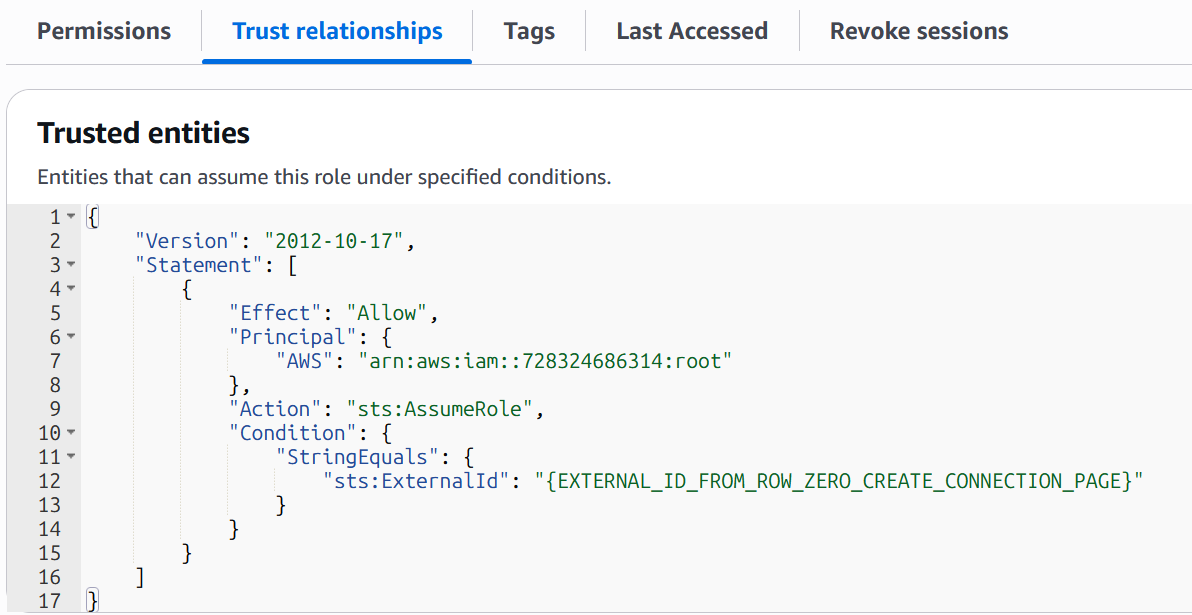
Step 2: Create an AWS IAM role with a trust policy that allows Row Zero to access the bucket.
Create a role that Row Zero will use to read and write staged results in your bucket. The role must have a trust policy that allows the Row Zero account (732940336628) to assume the role, using the connection-specific External ID that is provided when you create your connection in Row Zero (see Step 3 below).
Step 3: Attach an inline policy for S3 bucket access
This role needs permissions to read and write objects in the staging bucket you created in Step 1. Attach the following inline policy to the role, replacing {YOUR_RZ_STAGING_BUCKET} with the name of your bucket and {YOUR_AWS_ACCOUNT_ID} with your AWS account ID.
{
   "Version": "2012-10-17",
   "Statement": [{
       "Effect": "Allow",
       "Action": [
           "s3:Get*",
           "s3:List*",
           "s3:Describe*",
           "s3:PutLifecycleConfiguration",
           "s3:PutBucketVersioning"
       ],
       "Resource": [
           "arn:aws:s3:::{YOUR_RZ_STAGING_BUCKET}"
       ],
       "Condition": {
           "StringEquals": {
               "aws:ResourceAccount": "{YOUR_AWS_ACCOUNT_ID}"
           }
       }
   },
   {
       "Effect": "Allow",
       "Action": [
           "s3:Get*",
           "s3:List*",
           "s3:Describe*",
           "s3:AbortMultipartUpload",
           "s3:PutObject",
           "s3:DeleteObject"
       ],
       "Resource": [
           "arn:aws:s3:::{YOUR_RZ_STAGING_BUCKET}/*"
       ],
       "Condition": {
           "StringEquals": {
               "aws:ResourceAccount": "{YOUR_AWS_ACCOUNT_ID}"
           }
       }
   }]
}
The first statement grants bucket-level permissions (listing contents, managing lifecycle configuration). The second statement grants object-level permissions (reading, writing, and deleting staged data files).