Connect BigQuery to Row Zero
Row Zero makes it easy to connect BigQuery to your spreadsheets using OAuth. The BigQuery connector is available for Enterprise customers. If you're already a customer, please contact us to set up BigQuery OAuth. If you're not yet a customer, schedule a demo to learn more.
Create your BigQuery connection
Row Zero supports connecting to BigQuery via BigQuery OAuth. If your organization has not yet set up BigQuery OAuth in Row Zero, please contact us to get set up. If your organization is already connected, follow the instructions below to create your connection:
-
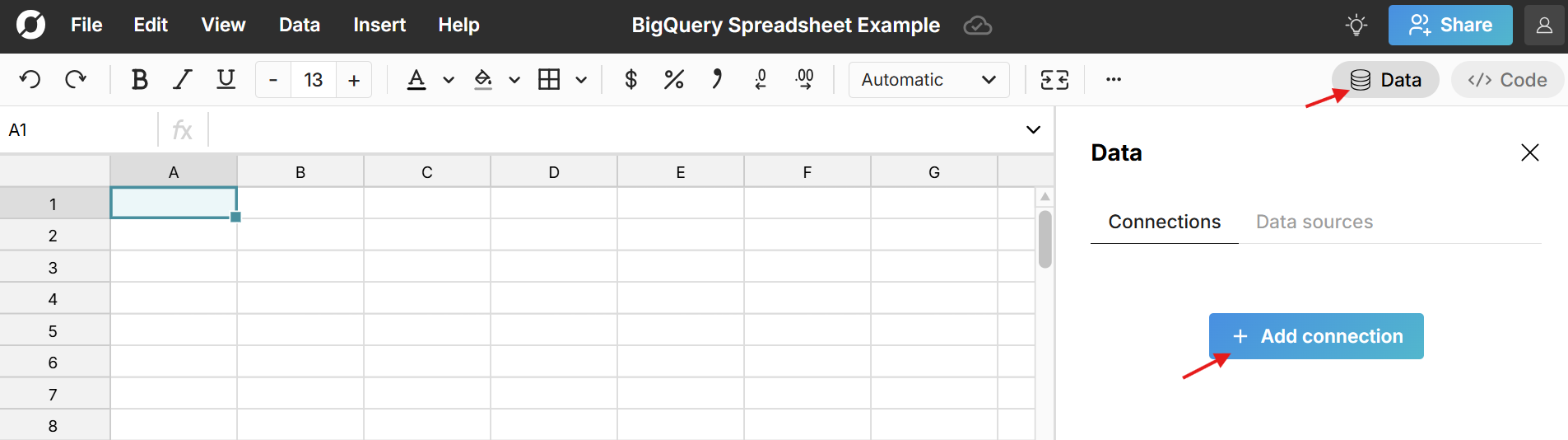
From any Row Zero workbook, click on the 'Data' icon in the upper right-hand corner and then click the button to '+ Add connection.'
-
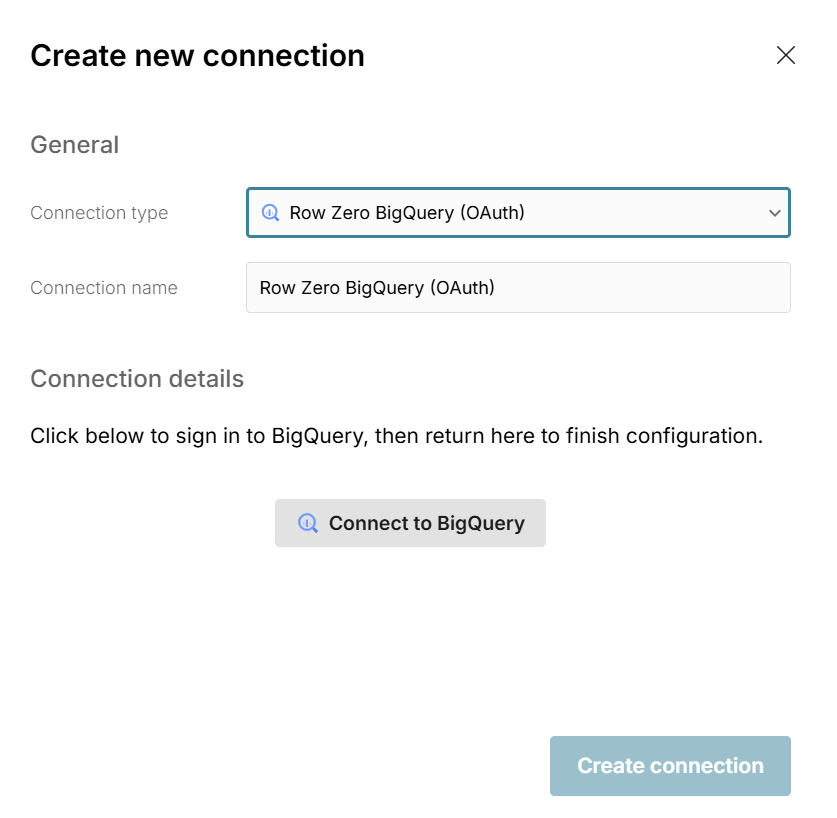
If your organization has set up BigQuery OAuth in Row Zero, you'll see it as an option under 'Connection type'. Click 'Connect to BigQuery' and you'll be prompted to sign in.
-
After signing in, you'll get a message 'Succeeded. You can close this window'. Your Username will automatically fill in under Connection details
and you can click 'Create connection' to finish connecting.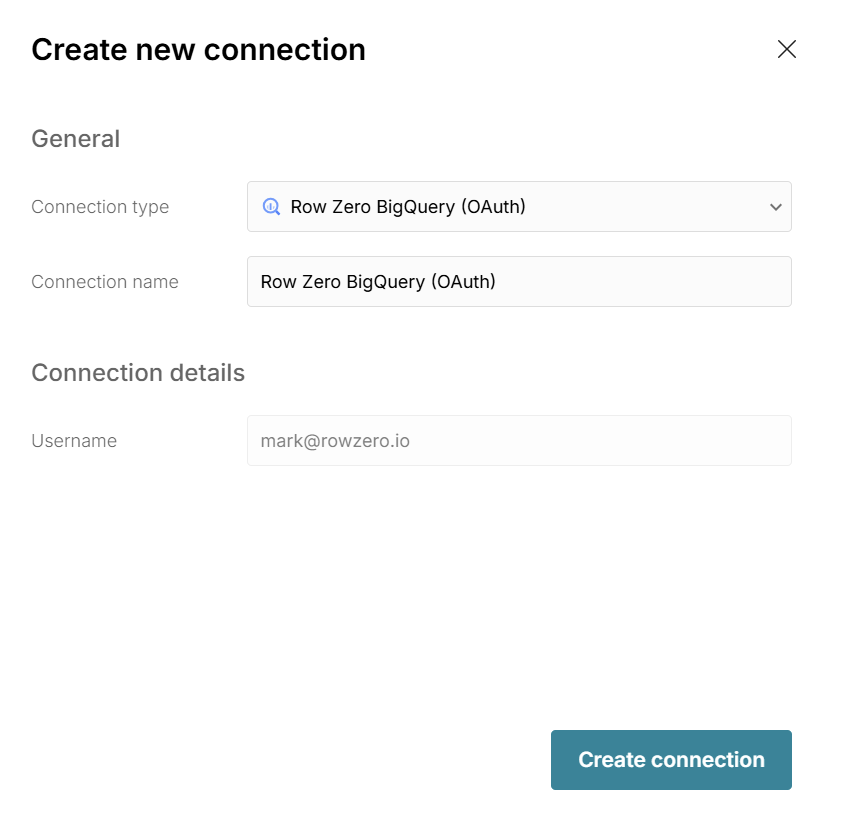
Write a query to import BigQuery data
Now that you have created a BigQuery connection, you can import data by writing queries directly from Row Zero. See Data Import to learn how.